Use cases tailored to you
Incident Management in JSM
Effective incident management starts with Jira Service Management – and thrives on seamless collaboration. When service agents, internal teams and operations work in sync, issues are resolved faster, smarter and with full transparency. By integrating Microsoft 365 tools, you get real-time reporting, instant alerts and clear communication between everyone involved. The result is streamlined processes, faster response times and a service that just works.
Try it for free!
Manage incidents from detection to resolution
Incidents must be resolved quickly to minimize downtime and business impact. While IT teams manage incidents in Jira Service Management, business stakeholders rely on Microsoft Teams and Outlook. Microsoft 365 for Jira connects both sides, enabling faster, more effective collaboration throughout the following stages of incident management.
Incident reporting
Reported incidents from Teams, Outlook, or the integrated JSM portal all find their way into Jira Service Management.
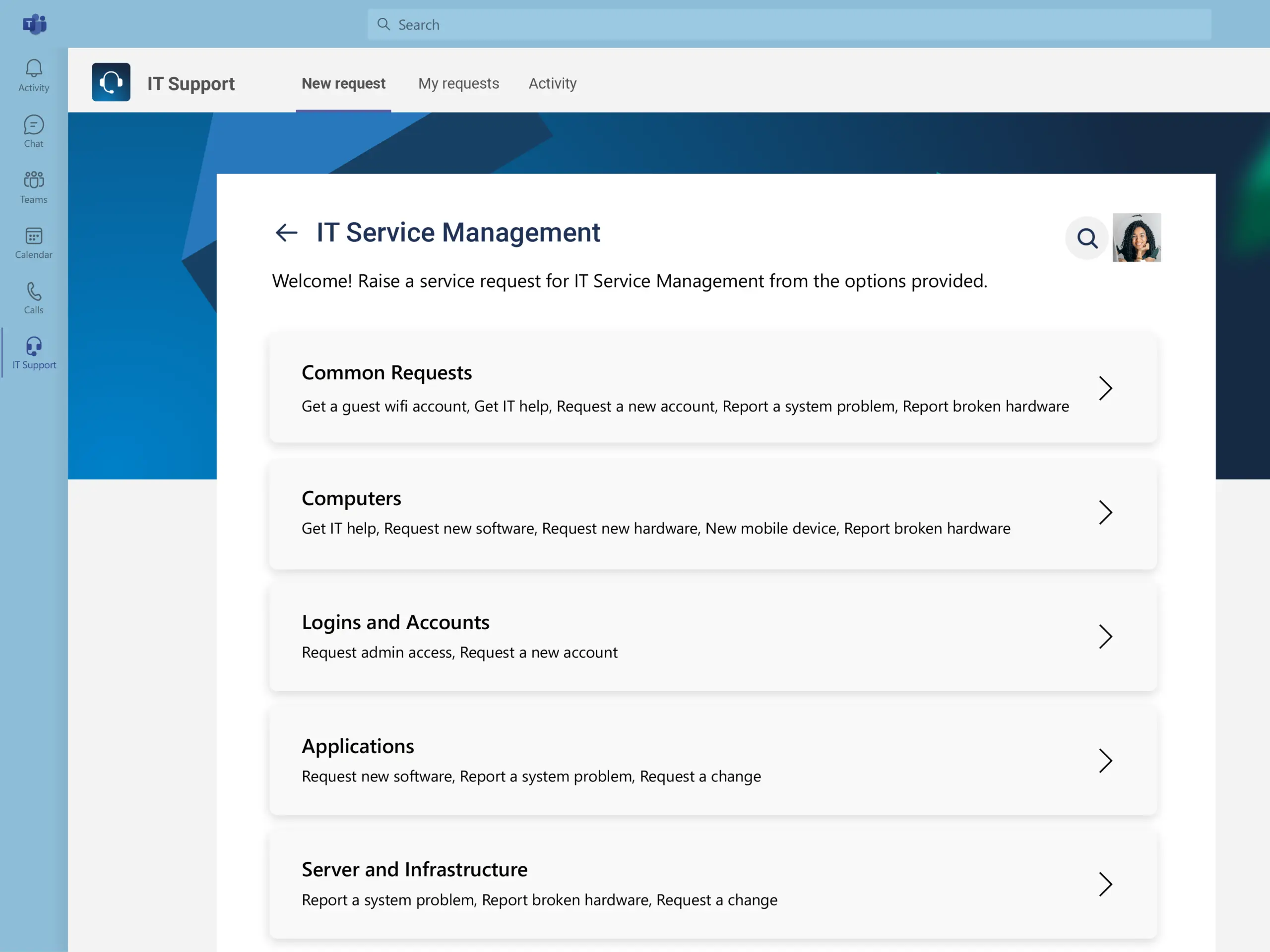
Customer portal in Teams
Embed the JSM portal directly as a tab in Microsoft Teams for a smooth and efficient way to report incidents.
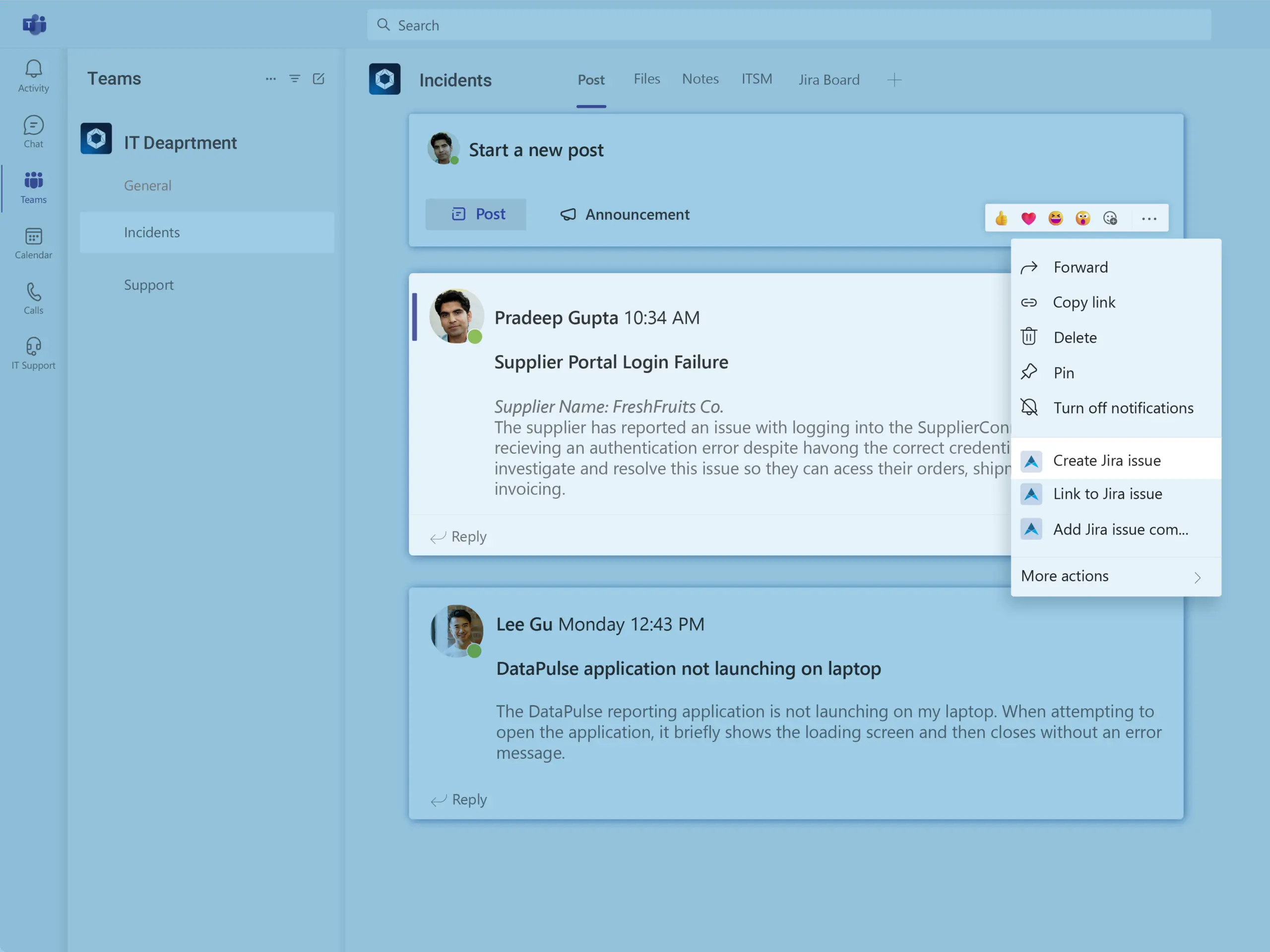
Incident creation in Teams
Create JSM incidents from any Microsoft Teams channel conversation or chat.
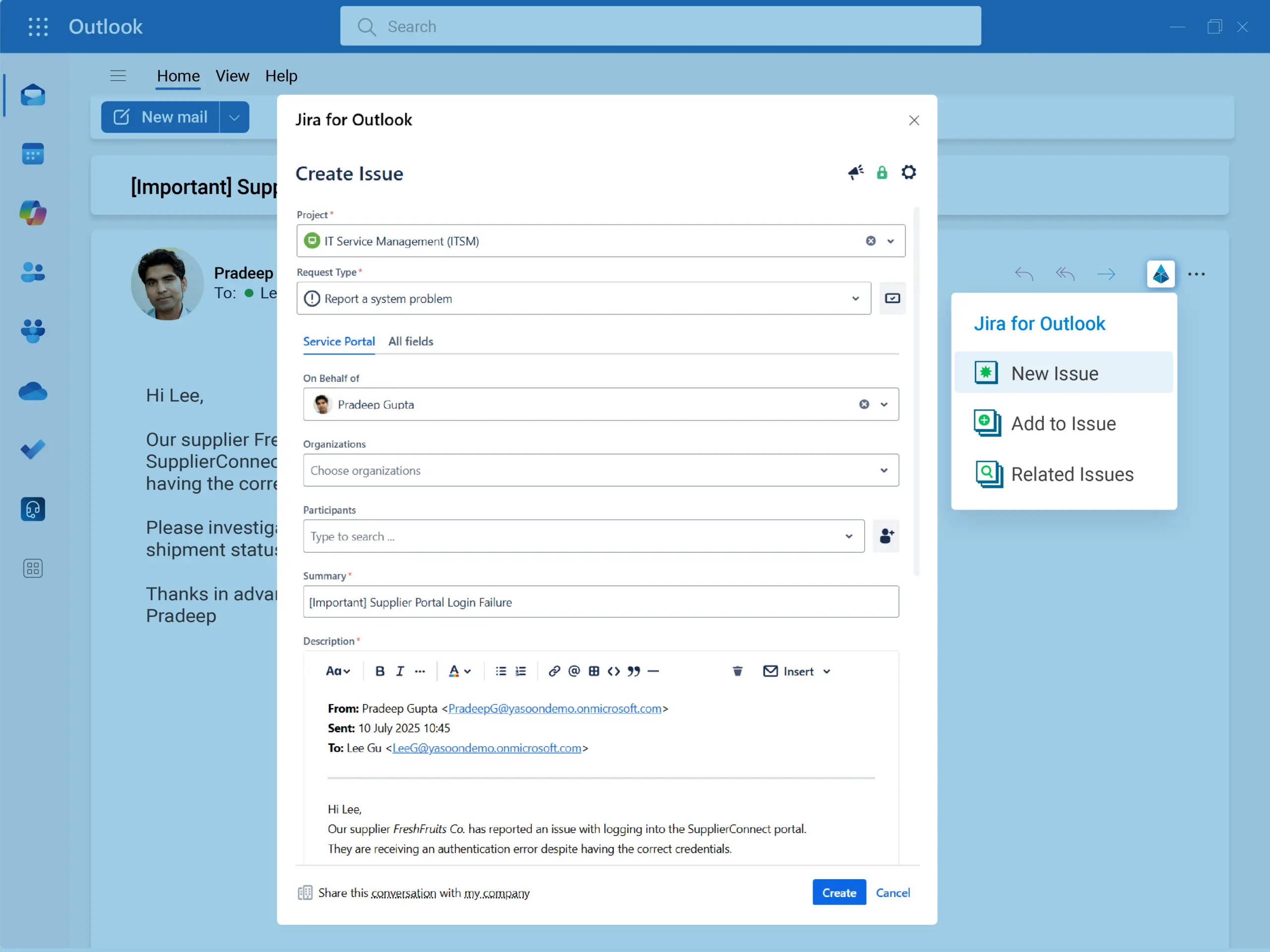
Incident creation in Outlook
Create incidents directly from Outlook and manage them more efficiently.
Customer portal in Teams
Embed the JSM portal directly as a tab in Microsoft Teams for a smooth and efficient way to report incidents.
Incident creation in Teams
Create JSM incidents from any Microsoft Teams channel conversation or chat.
Incident creation in Outlook
Create incidents directly from Outlook and manage them more efficiently.
Incident command center
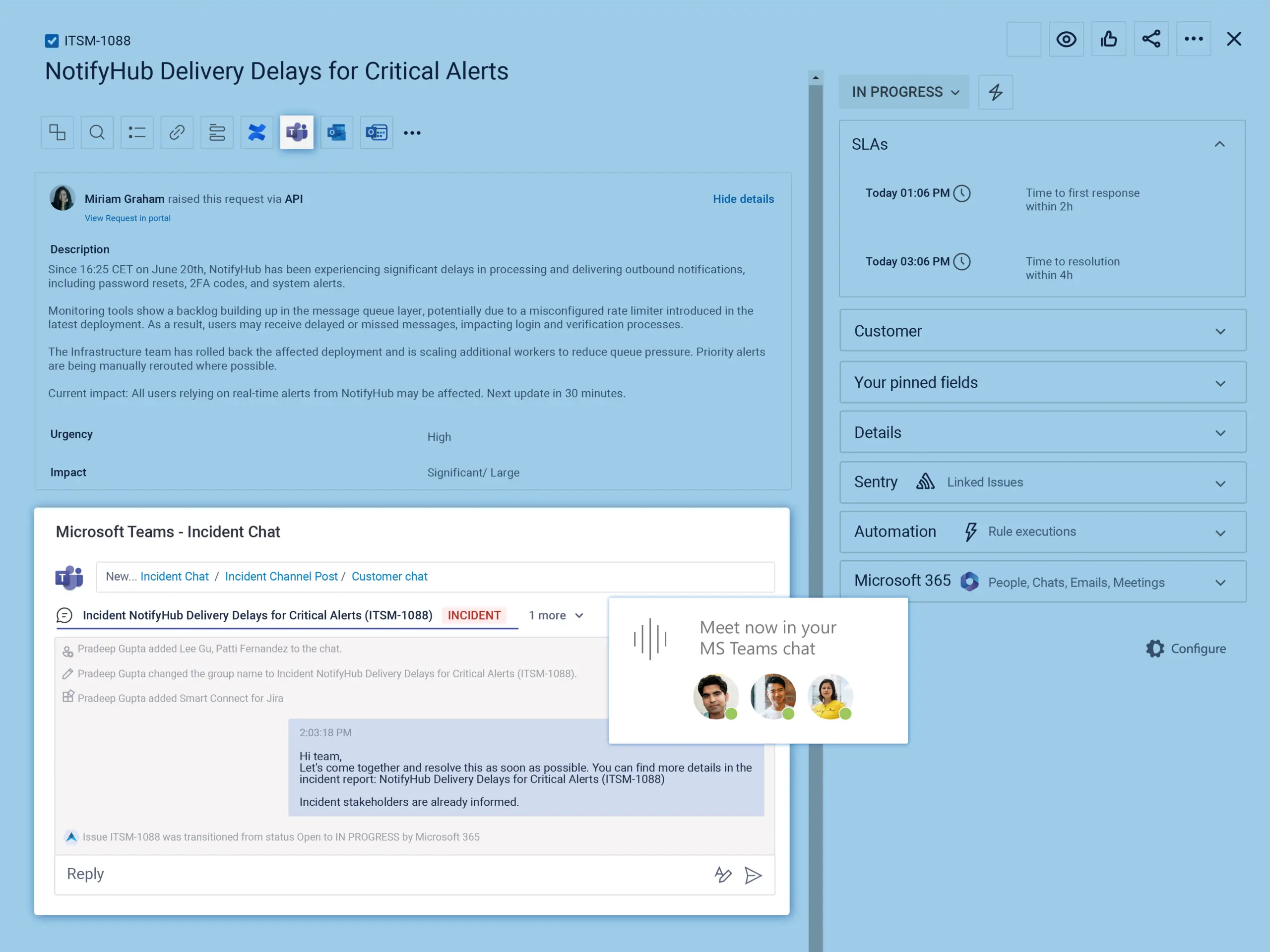
Bring the right people together fast. Every incident gets a dedicated Teams chat for coordinated responses – fully documented in JSM, with a backup created after resolution.
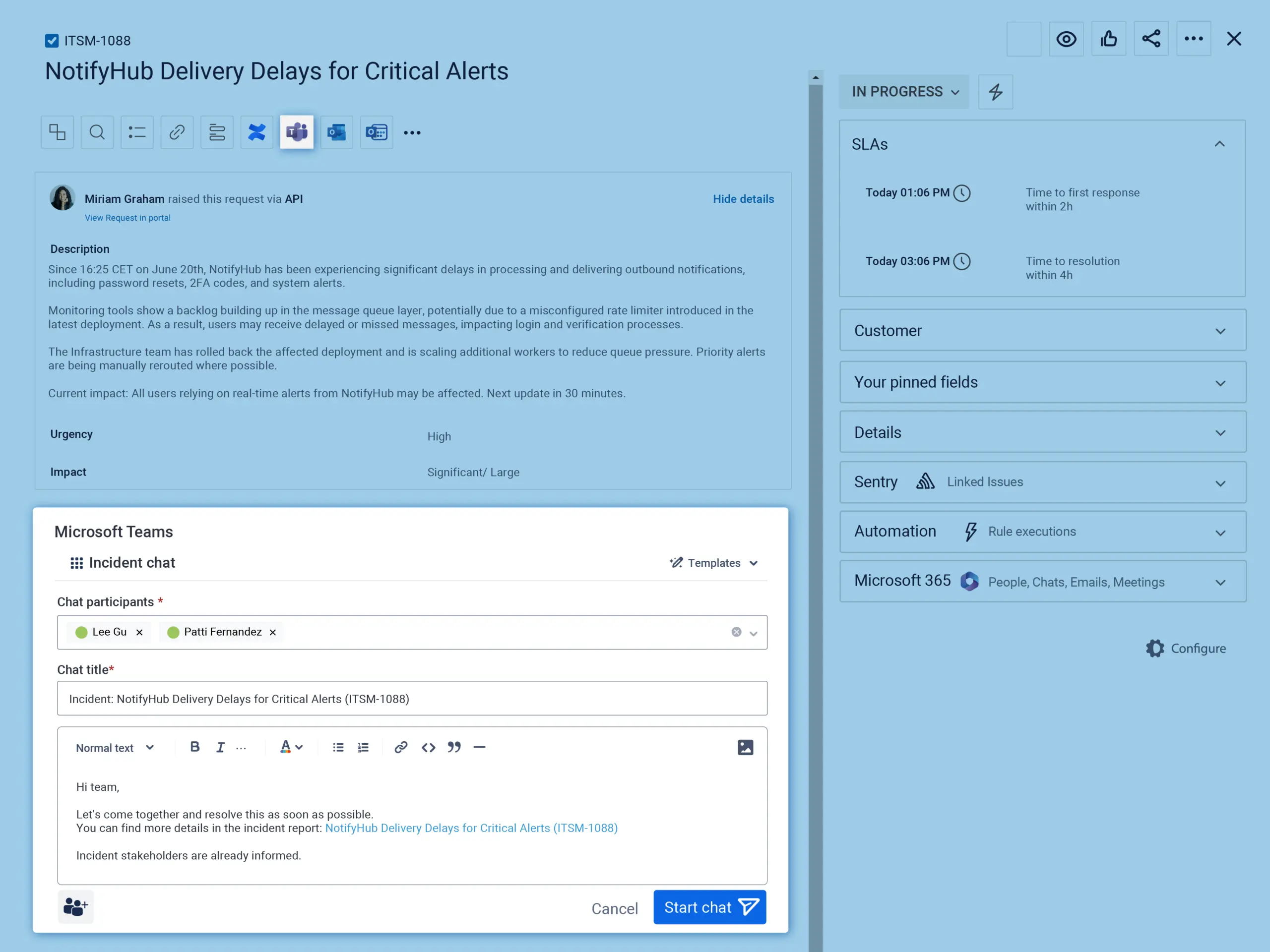
Incident chat
A focused Teams chat is created to coordinate the response and to align key responders – all documented in the JSM incident.
Instant incident call
Optionally start a Teams call as soon as the incident chat is created. Perfect for fast, real-time response.
Incident chat
A focused Teams chat is created to coordinate the response and to align key responders – all documented in the JSM incident.
Instant incident call
Optionally start a Teams call as soon as the incident chat is created. Perfect for fast, real-time response.
Stakeholder communication
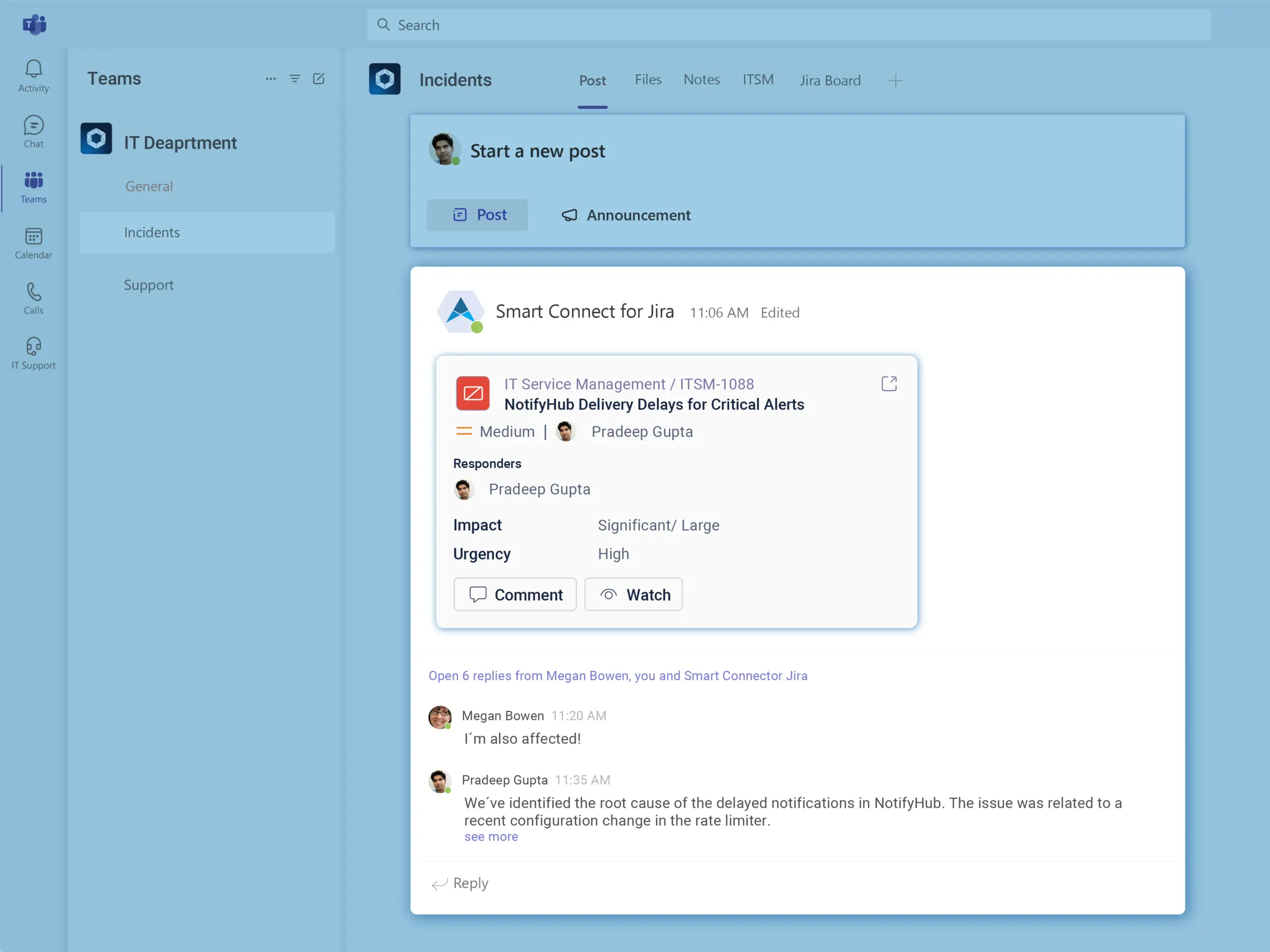
Keep incident command centers and stakeholders aligned by delivering incident updates from Jira directly to Microsoft Teams channels.
Incident stakeholder channel
Use adaptive cards to update stakeholders and provide useful Jira features inside Teams. Add AI driven chat summaries for post-incident reviews.
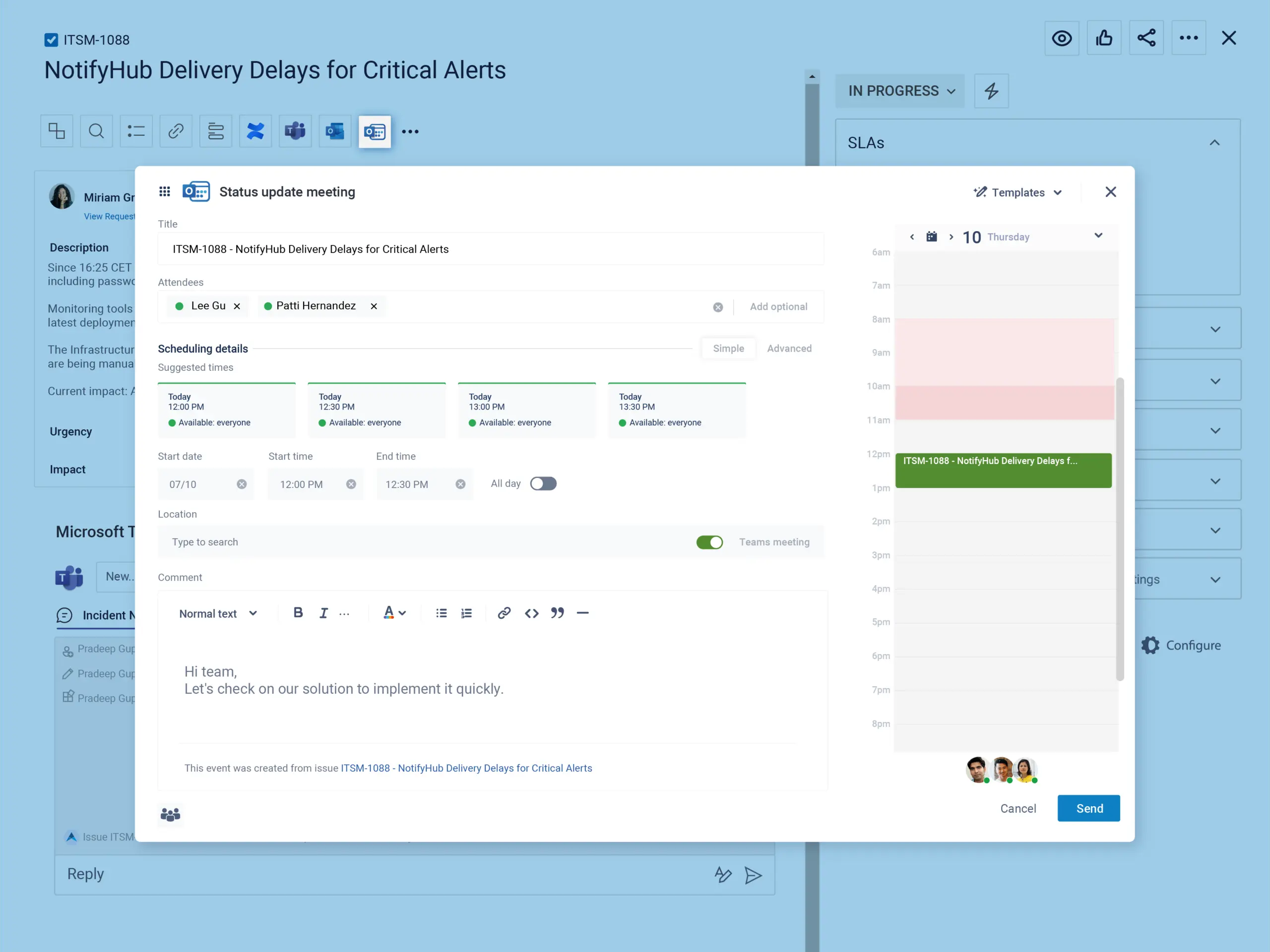
Status update meeting
Regular sync calls via Microsoft Teams ensure IT and business teams are aligned while everything is tracked in JSM.
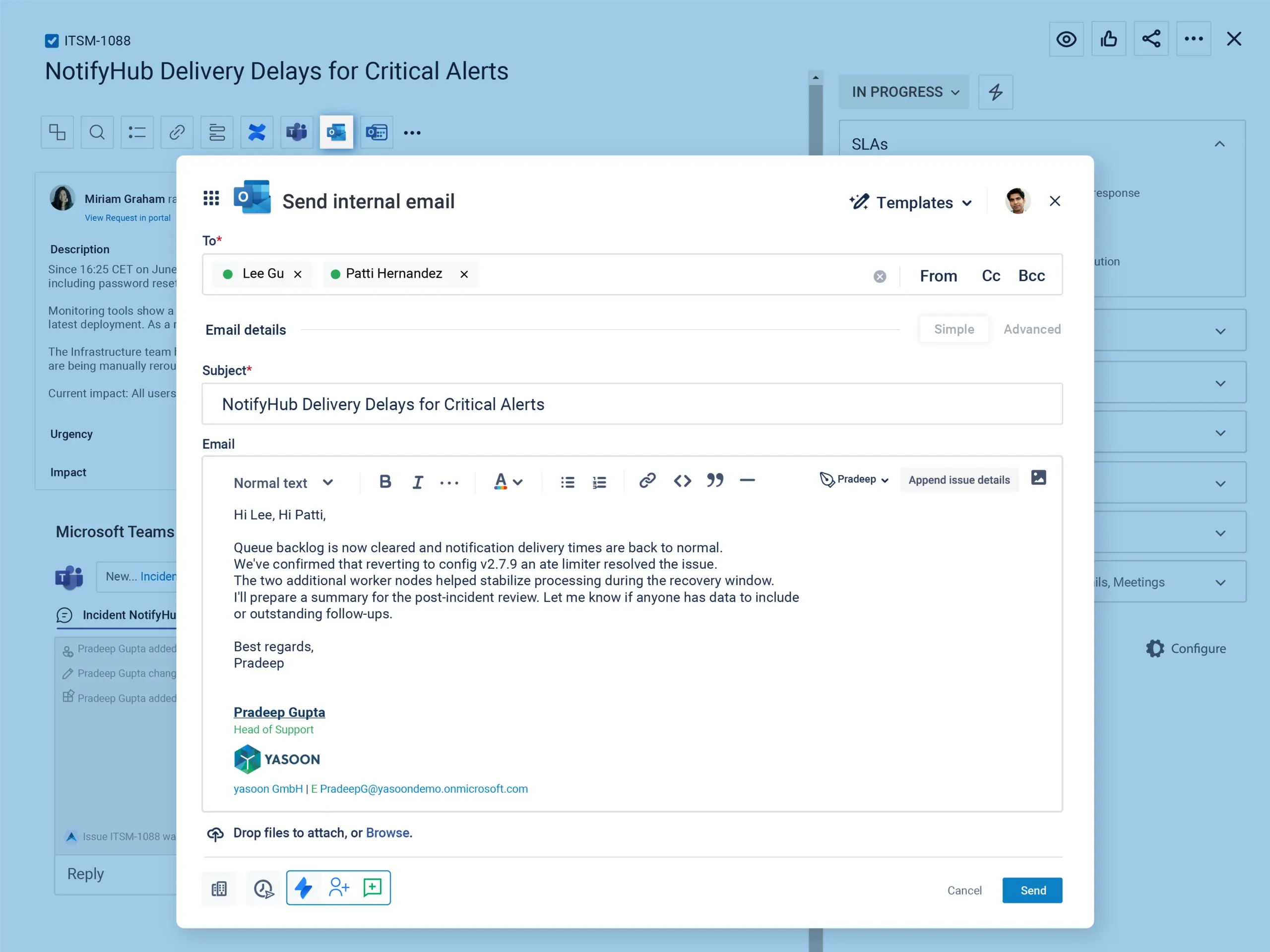
Stakeholder email
Critical JSM updates are also sent via email to ensure visibility beyond Teams.
Incident stakeholder channel
Use adaptive cards to update stakeholders and provide useful Jira features inside Teams. Add AI driven chat summaries for post-incident reviews.
Status update meeting
Regular sync calls via Microsoft Teams ensure IT and business teams are aligned while everything is tracked in JSM.
Stakeholder email
Critical JSM updates are also sent via email to ensure visibility beyond Teams.
Customer communication
Keep users informed throughout the incident, while staying in JSM. All outgoing communication is documented transparently and visible to the whole team.
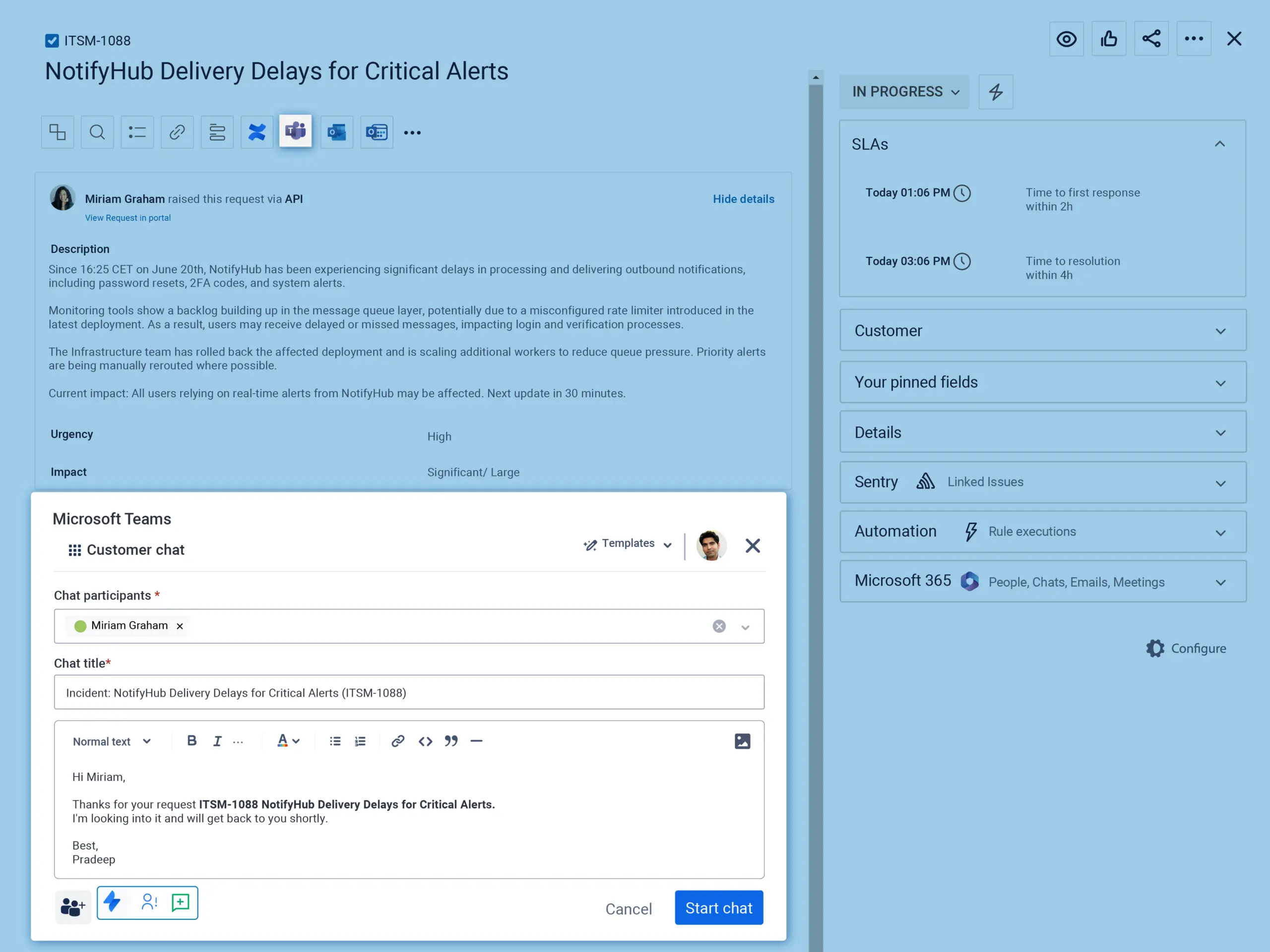
Customer chat
A separate Teams chat allows quick interactions with affected customers, accessible in Jira Service Management.
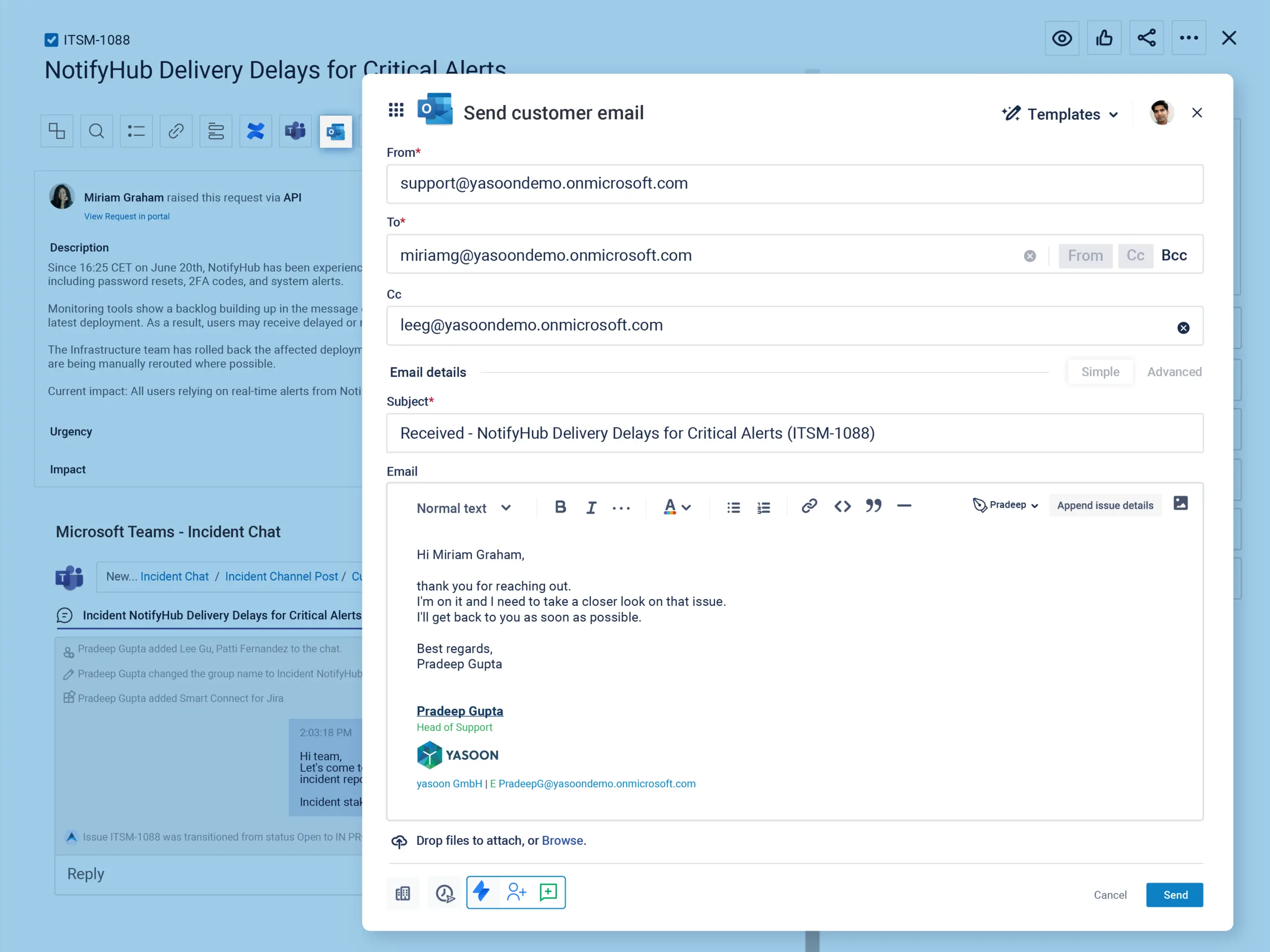
Customer email
Formal communications through email ensure all updates are documented, no matter what tool you use.
Customer chat
A separate Teams chat allows quick interactions with affected customers, accessible in Jira Service Management.
Customer email
Formal communications through email ensure all updates are documented, no matter what tool you use.
How teams work better together during incidents
Microsoft 365 for Jira connects Jira Service Management with Microsoft Teams and Outlook, making incidents easier to manage.
IT teams and business stakeholders can coordinate more easily, respond faster, and stay informed.
Integrated communication workflows
Incidents can be reported and managed directly from Microsoft Teams or Outlook, enabling service agents and stakeholders to act immediately without switching tools.
Real-time coordination
Every incident gets a dedicated incident command center, with automatic SLA alerts and full synchronization with JSM – ensuring faster response and accountability.
End-to-end transparency
All updates, chats, meetings, and emails are centrally tracked in JSM, supported by AI-powered summaries and stakeholder updates, creating a clear, auditable incident timeline.
See Microsoft 365 for Jira in an expert incident management review
You are currently viewing a placeholder content from YouTube. To access the actual content, click the button below. Please note that doing so will share data with third-party providers.
More Information
Coordinate Jira incidents in Microsoft Teams
Atlassian professional and Apetech Tech Tutorials creator Alex Ortiz shows how Microsoft 365 for Jira creates dedicated Teams conversations for JSM incidents, brings key responders together, and keeps communication connected to Jira Service Management. The demo also covers AI-powered summaries and post-incident documentation for a clear incident record.
Want to learn more?
Microsoft 365 for Jira is what you waited for? Get in touch and learn more about its features and benefits.