
Microsoft 365 for Jira

Microsoft Teams Jira integration

Is Microsoft Teams your communication hub? Enrich your teamwork with the collaborative power of Microsoft Teams in Jira and Jira Service Management. Enjoy real-time collaboration and IT support across tools!
Try it for free!

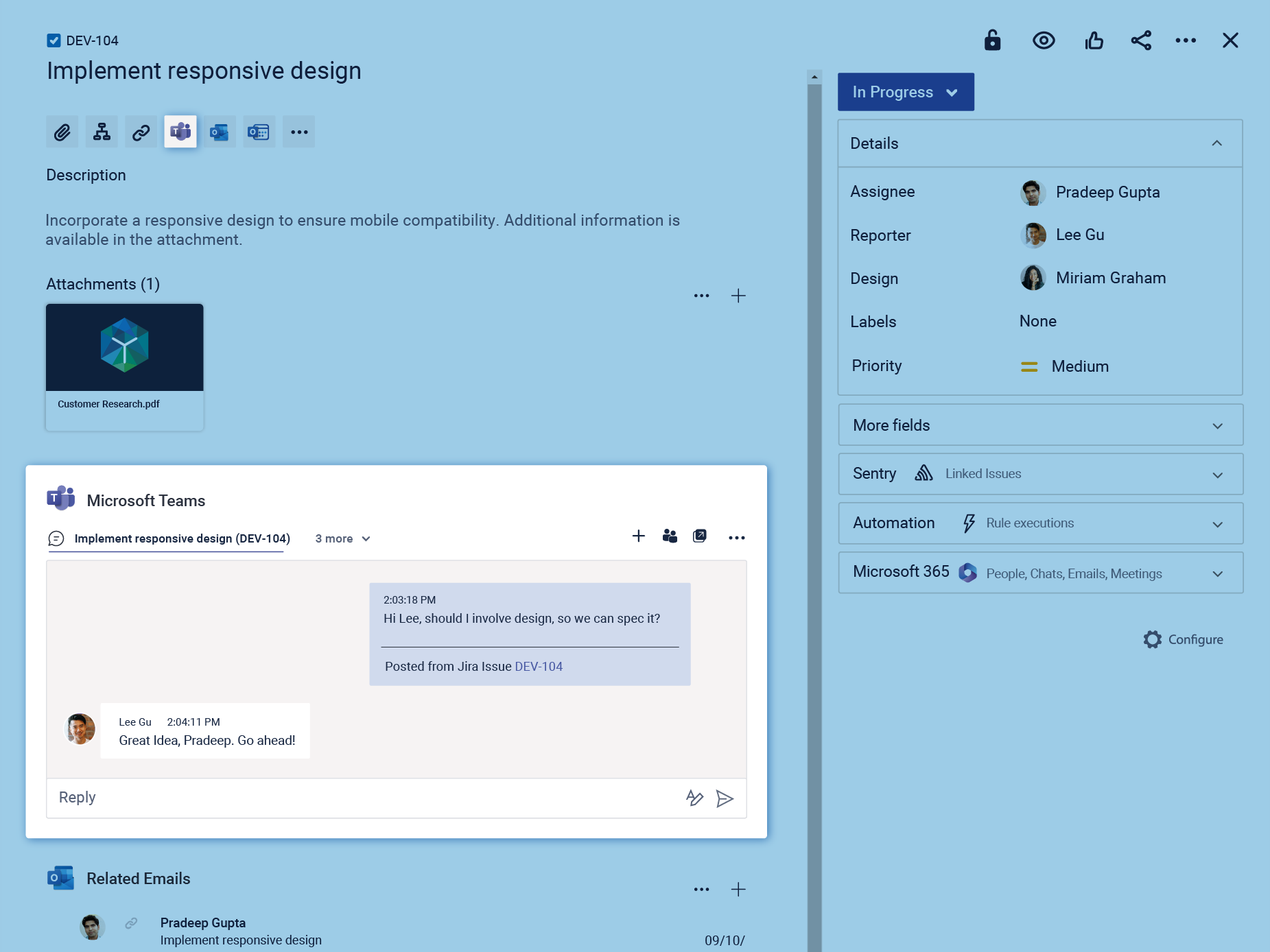
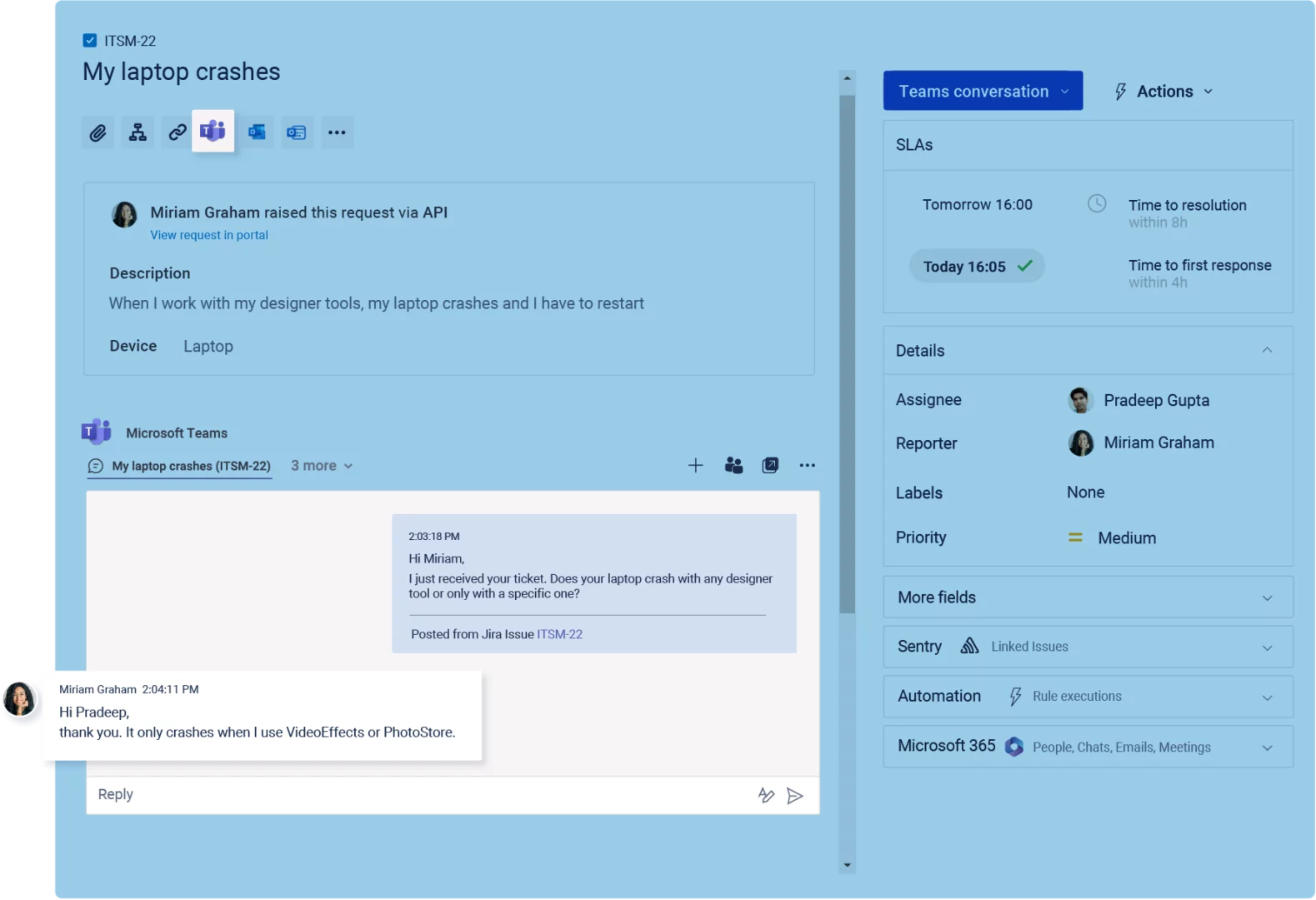
Microsoft Teams Jira integration: Jira issue view with the integrated Microsoft Teams panel showing a linked conversation. Team members discuss the issue directly from Jira, with messages synchronized between Jira and Microsoft Teams to keep collaboration and issue context in one place.

What is the Microsoft Teams Jira integration?

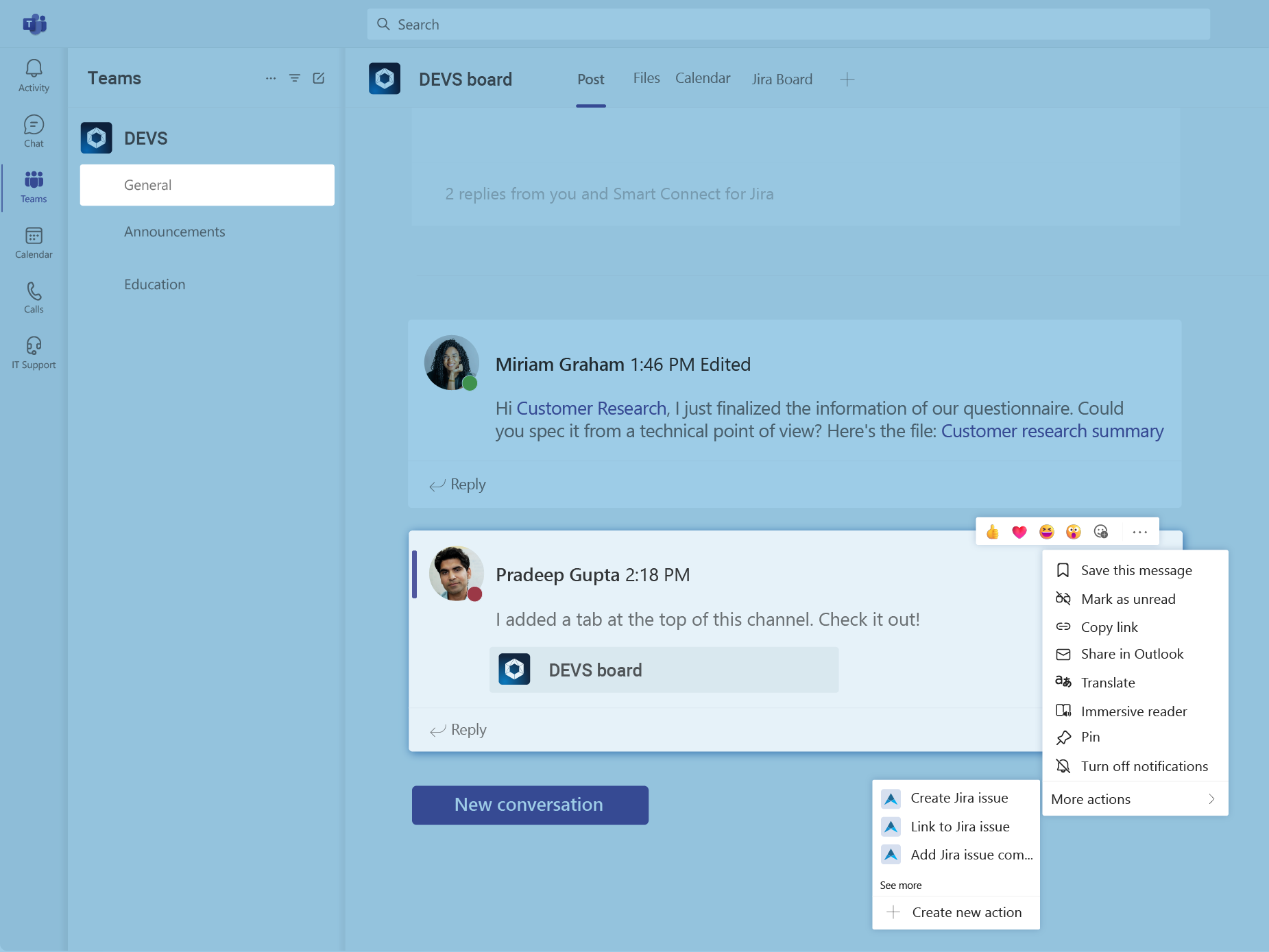
The Microsoft Teams Jira integration connects Microsoft Teams with Jira and Jira Service Management through Microsoft 365 for Jira, an app on the Atlassian Marketplace. For example, users can create Jira work items from Teams conversations, link messages to existing work items, and continue Jira-related chats across both applications. In addition, Jira Service Management teams can make support request creation available in Teams. As a result, conversations remain connected to the relevant Jira context, reducing manual copying and constant switching between tools.

Features in
Microsoft Teams

Which teams benefit from the integration?

The integration supports teams that manage work in Jira but collaborate in Microsoft Teams. As a result, they can reduce tool switching, manual copying, and the effort required to reconstruct context.

Want to learn more?

IT service management teams

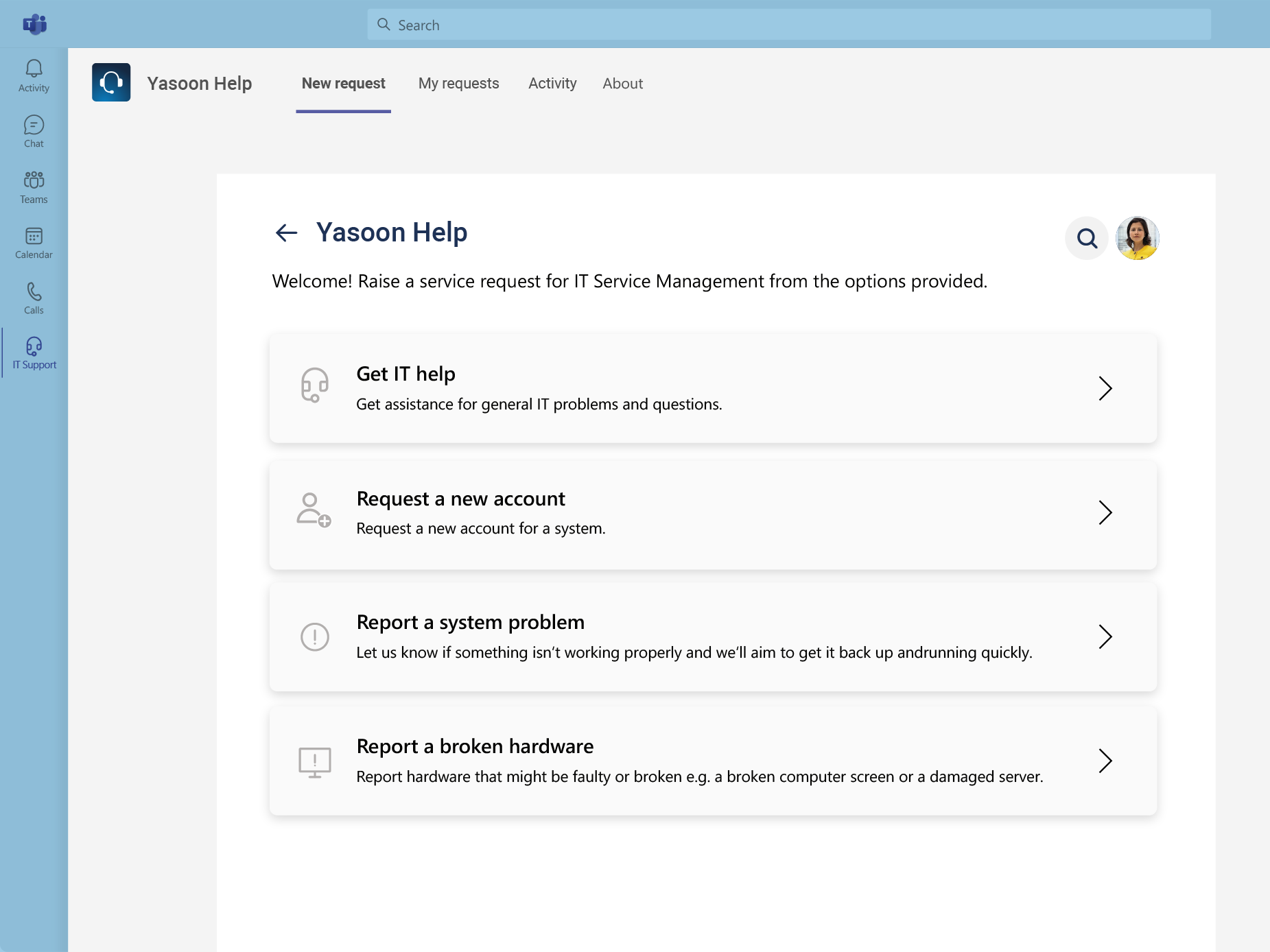
Employees can submit Jira Service Management requests from Teams. Meanwhile, agents can keep support conversations connected to the relevant request.

Incident response teams

Responders can coordinate incidents in Microsoft Teams while managing the related work in Jira Service Management. Consequently, important communication remains connected to the incident.

Agile and DevOps teams

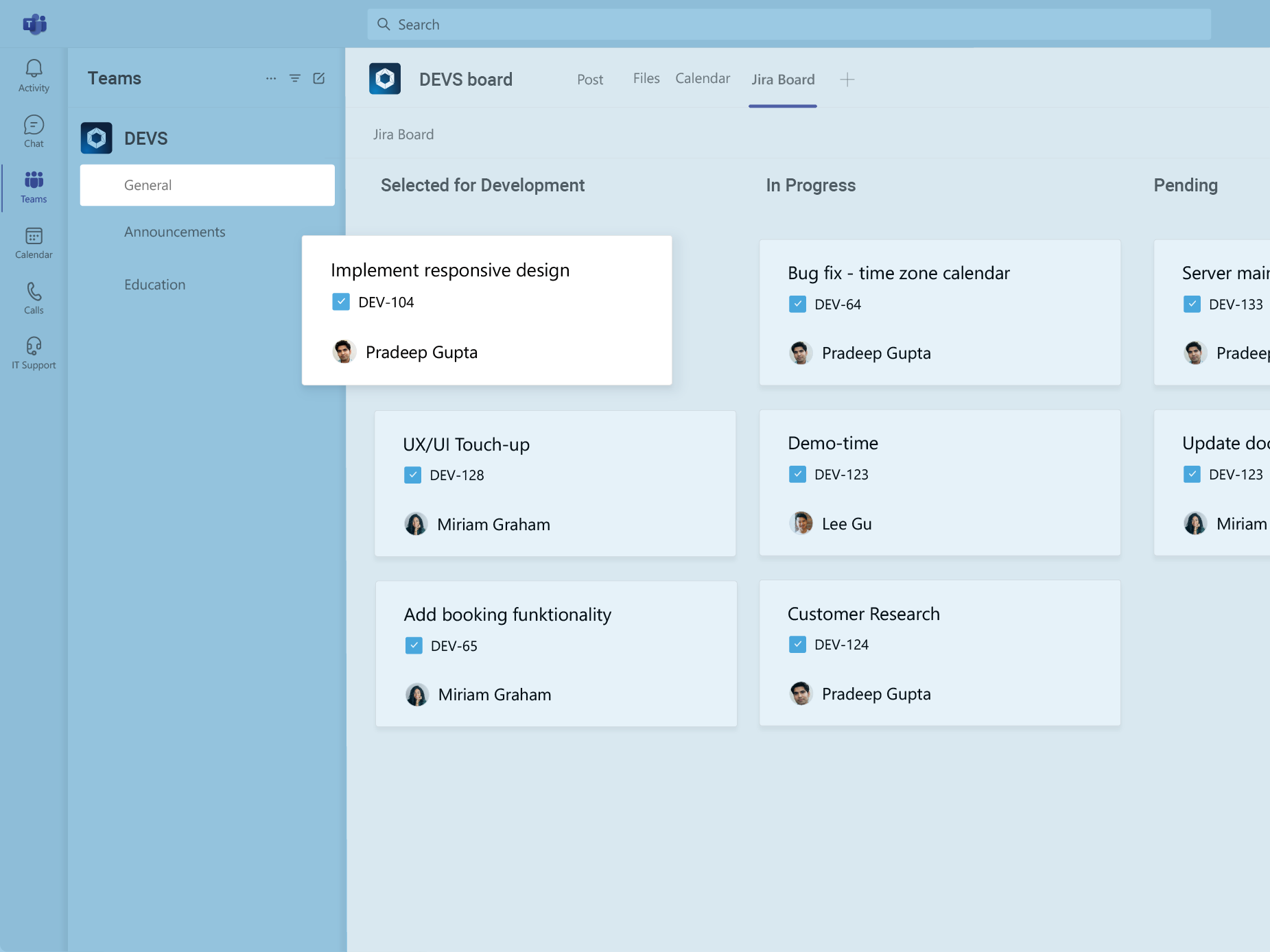
Teams can create Jira work items from Teams conversations and access Jira boards in Teams. Therefore, development, operations, and business teams can collaborate with shared context.

Microsoft Teams for Jira

You are currently viewing a placeholder content from YouTube. To access the actual content, click the button below. Please note that doing so will share data with third-party providers.

More Information

Smooth communication and conversational ticketing

Learn more about integrating Microsoft Teams with Jira in this short video. Enable cross-tool conversation in real time, improve response and resolution time, while clearly documenting all relevant information. Explore all features in depth and find out if Microsoft 365 for Jira is the right fit for you.

Can I create and update Jira issues from Microsoft Teams?

Yes. Users can create Jira work items from Teams chats or channel messages, link messages to existing work items, and add Jira comments directly from Teams. However, the work item creation dialog supports only a limited selection of Jira fields and custom fields.

Learn about creating Jira work items in Teams

Can existing Microsoft Teams chats be linked to Jira issues?

Yes. Users can link a Teams chat or channel conversation to a Jira work item so that the complete thread is accessible from Jira. In addition, individual Teams messages can be converted into Jira comments when only a specific decision or update should be recorded.

Can users without a Jira license submit JSM requests from Teams?

Yes. Employees can use the Jira Service Management portal in Teams to submit requests, review their status, and communicate with service teams without paid Jira product access. However, they still need access as JSM customers, which can be created automatically when they first use the portal, depending on the admin configuration.

Learn about the JSM portal in Microsoft Teams

Why do companies choose Microsoft 365 for Jira?

Companies choose Microsoft 365 for Jira to connect Jira workflows with the Microsoft 365 tools their employees already use. As a result, teams can reduce manual work, make Jira processes more accessible, and keep communication connected to work items and requests. Reported customer outcomes include:

  • Around 60% faster response times in complex projects, improving from eight hours to three hours.
  • 30-40% faster processing of service requests such as access and onboarding requests.
  • An estimated 25% productivity increase for support teams.
  • Increased workloads handled without additional headcount through automation and streamlined workflows.
  • Mobile access for frontline staff to submit and track requests through Microsoft Teams instead of legacy forms.

These figures are customer-specific results and should not be presented as guaranteed outcomes for every organization.

How do I integrate Microsoft Teams with Jira?

Install Microsoft 365 for Jira from the Atlassian Marketplace and enable the Teams feature in Jira. Next, deploy the free Smart Connect app in Microsoft Teams to create, find, and update Jira work items from Teams. For JSM use cases, you can also install the Teams portal app in Microsoft Teams if employees should access a Jira Service Management portal in Teams.

View the setup guide

How is Microsoft 365 for Jira different from the native Jira Microsoft Teams integration?

Atlassian’s native Teams capabilities are usually sufficient when users mainly need Jira notifications, link previews, basic work item actions in Teams. Microsoft 365 for Jira is designed for organizations where Teams is the main collaboration layer and conversations should remain connected to Jira work items or JSM requests throughout the process.

It keeps communication, context, updates, and follow-ups accessible from the structured Jira record. In addition, teams can use configurable Presets, Adaptive Cards, automations, and Outlook features. Therefore, it is better suited to broader, repeatable collaboration workflows across Microsoft 365 and Jira.

To see the difference in practice, watch this comparison demo by Alex Ortiz from Apetech, showing both apps side by side.

How does yasoon protect data in Microsoft 365 for Jira?

Data security is a core priority for yasoon. Therefore, yasoon is ISO 27001 certified and SOC 2 compliant. In addition, data storage is minimized by retaining identifiers instead of sensitive content. Data is encrypted, and regular penetration testing helps maintain a strong level of security.

Detailed security information and reports are available in the Security Documentation and yasoon Trust Center, where customers can also request the SOC 2 report.

One app for Jira and Microsoft 365

Microsoft 365 for Jira connects Teams, Outlook Email, meetings, calendars, To Do, and automation with Jira and JSM. As a result, communication, schedules, and tasks stay connected across both platforms.

Atlassian Marketplace Review
We were previously doing a lot of screenshotting of Teams conversations to include in our requests, but those are not searchable. Now we are able to easily have multiple conversations in Teams around an issue with everything being captured and archived with the request. Once you start a conversation in Jira you can continue it right in your Teams app.

by Simon – Microsoft 365 for Jira user

Atlassian Marketplace Review
Rich feature set that extends collaboration with Jira Service Management customers and external customers in very helpful ways.

by Ronny – Microsoft 365 for Jira user

Atlassian Marketplace Review
Amazing app for Microsoft Teams, works great and support is amazing.

by Stefan – Microsoft 365 for Jira user

Atlassian Marketplace Review
We love the Microsoft Teams integration which links a Microsoft Teams chat to the original ticket.

by Norge – Microsoft 365 for Jira user