
Microsoft 365 for Jira

Microsoft
To Do Jira integration

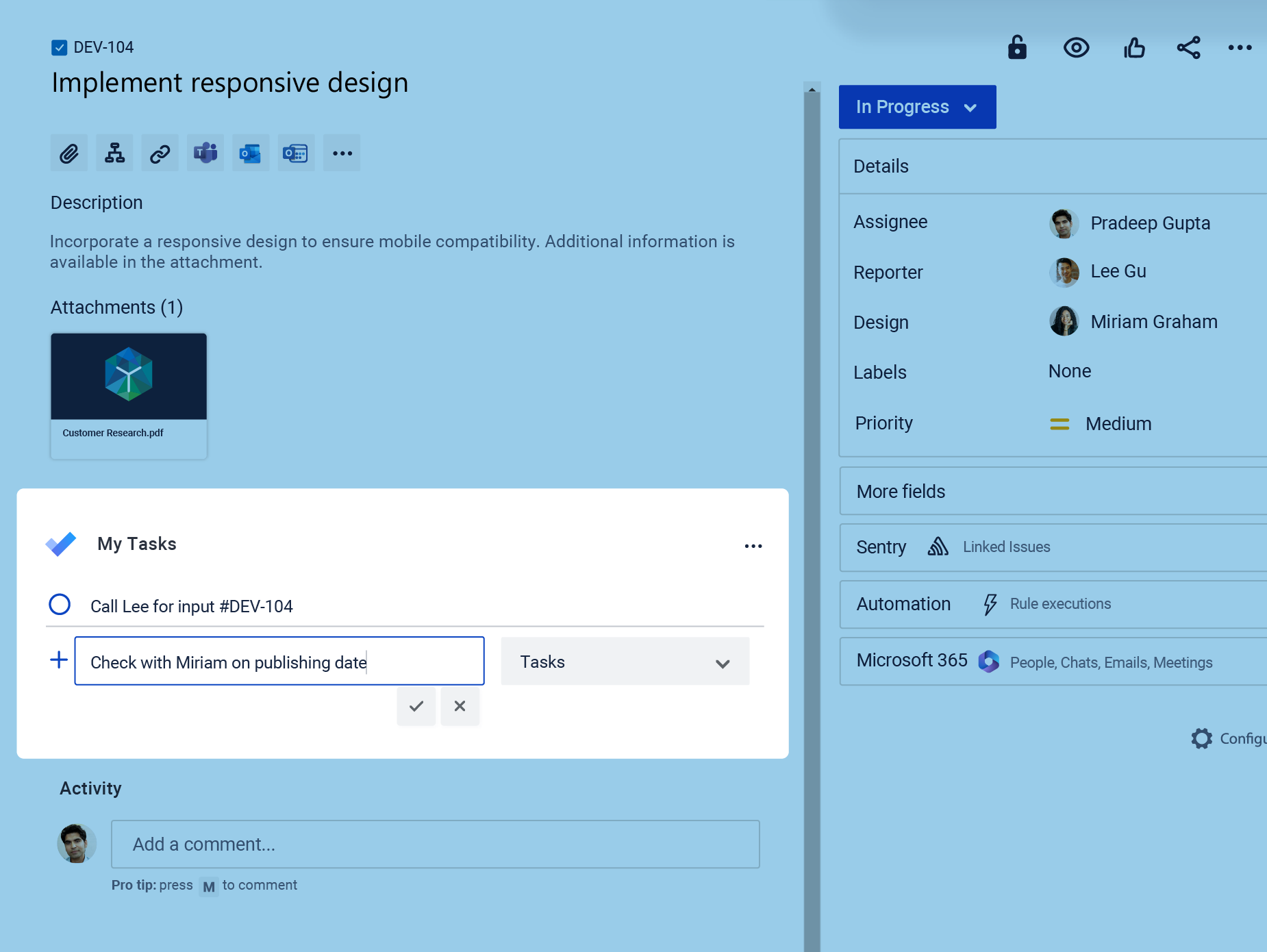
Sync your Jira work automatically with your chosen Microsoft To Do list. Plan your day in Microsoft To Do while keeping related Jira work aligned and up to date.

Try it for free!

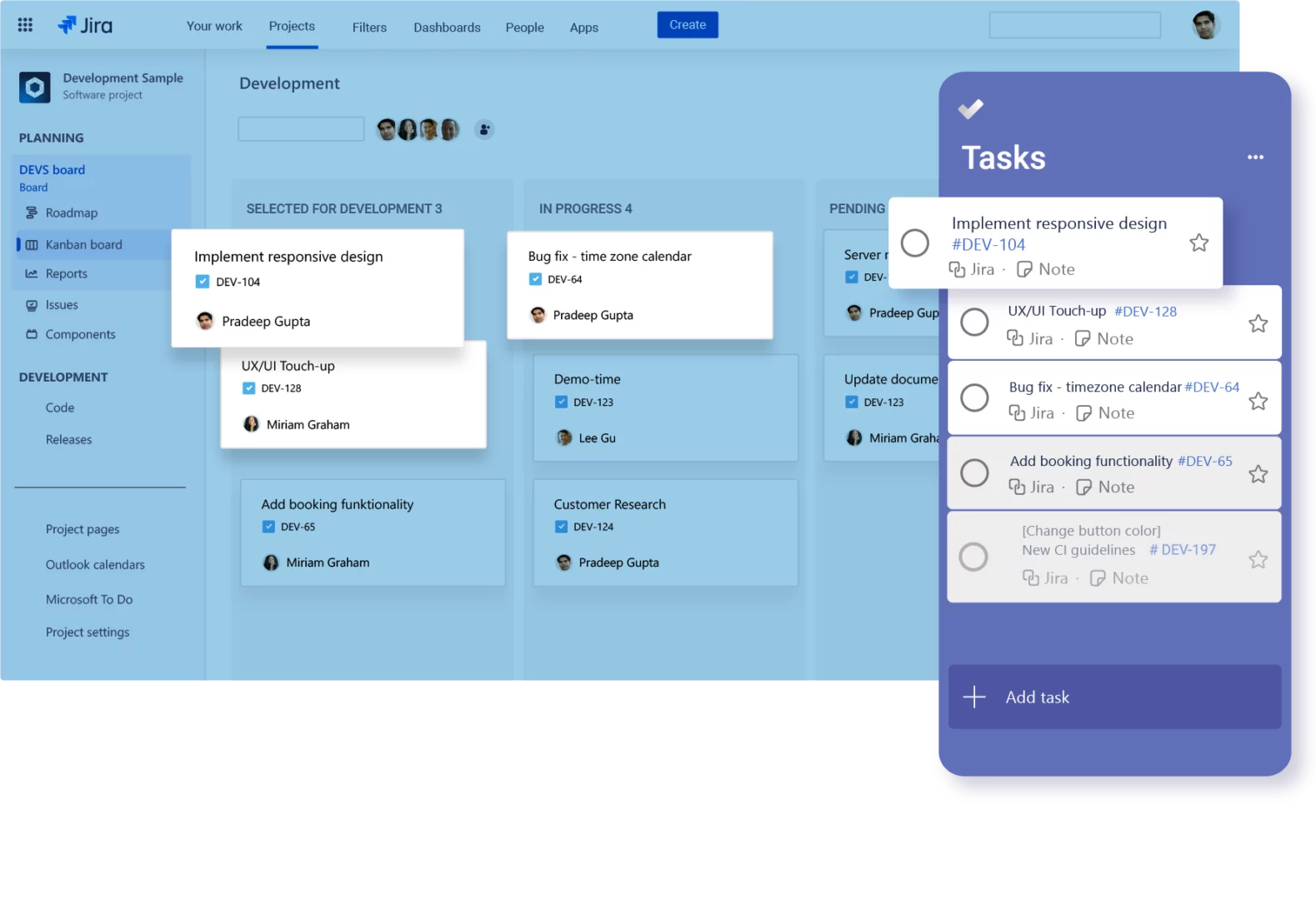
Jira Software Kanban board alongside Microsoft To Do, showing Jira issues synchronized as personal tasks. Users can manage Jira work in Microsoft To Do while keeping task completion and status aligned across both applications.

What is the Microsoft To Do for Jira integration?

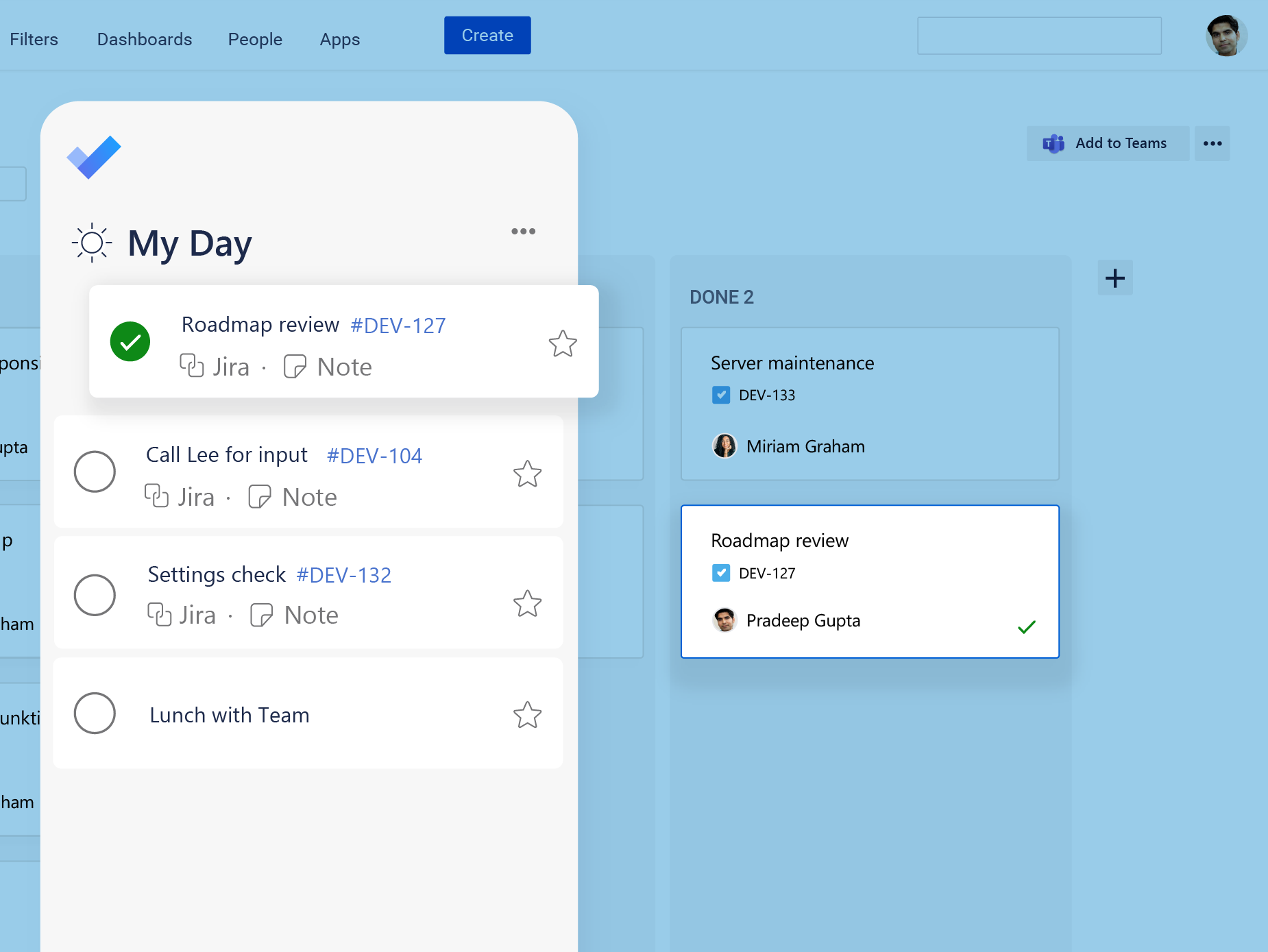
The Microsoft To Do Jira integration connects Microsoft To Do with Jira through Microsoft 365 for Jira, an app available on the Atlassian Marketplace. For example, users can turn Jira work items into personal Microsoft To Do tasks and synchronize due dates and notes. As a result, they can plan their day in Microsoft To Do while keeping tasks connected to Jira.

Features in Microsoft To Do

Who benefits from the Microsoft To Do Jira integration?

The integration is useful for people who receive work in Jira but organize their personal tasks in Microsoft To Do. Therefore, they can manage daily priorities without losing the connection to Jira.

Want to learn more?

Project and delivery managers

Sync selected Jira work items with Microsoft To Do and organize priority tasks in My Day. As a result, project and delivery managers can maintain a clear personal overview across multiple initiatives.

Cross-functional project contributors

Bring assigned Jira work into Microsoft To Do alongside personal tasks. In addition, users can add private subtasks for their own planning without changing the shared Jira work item.

Business and operations professionals

Manage Jira-based activities alongside everyday Microsoft 365 tasks. Consequently, professionals in marketing, HR, finance, and operations can participate in structured Jira workflows while planning in a familiar tool.

Microsoft To Do and Jira

You are currently viewing a placeholder content from YouTube. To access the actual content, click the button below. Please note that doing so will share data with third-party providers.

More Information

Boost your work planning

Learn more about integrating Microsoft To Do with Jira in this short video. Get an overview of your daily tasks in one place: Microsoft To Do. Explore all features in depth and find out if Microsoft 365 for Jira is the right fit for you.

How do I sync Jira issues with Microsoft To Do?

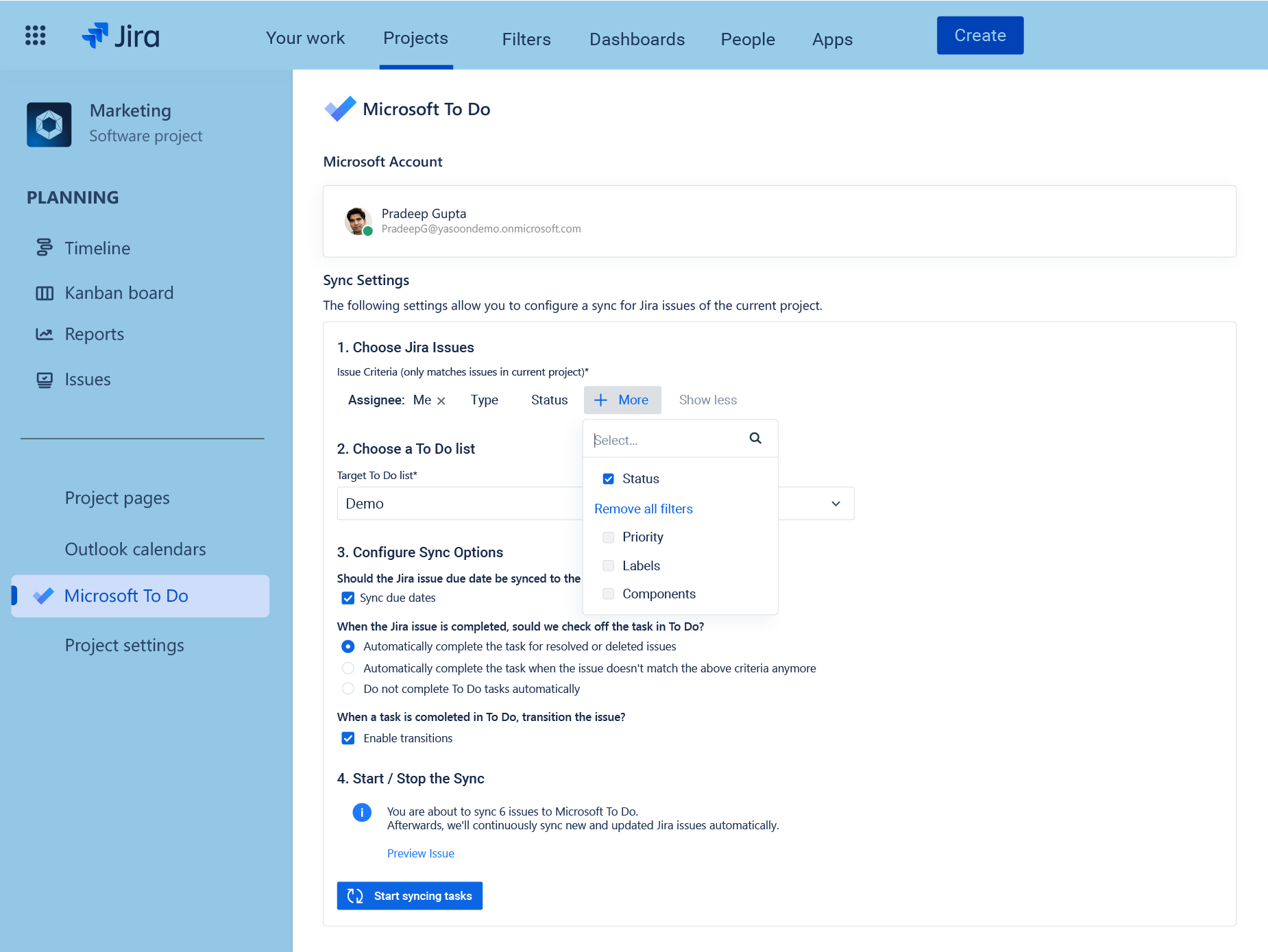
After an administrator activates the feature, users can connect their Microsoft 365 account and choose a Microsoft To Do list in the Jira settings. The Microsoft To Do Jira integration then creates tasks for Jira work items that match the selected synchronization rules. Each task includes relevant Jira details and a link to the original work item.

Learn how to sync Jira work with Microsoft To Do

What is the difference between personal tasks and checklist items?

A personal task created from a Jira work item appears as a separate task in Microsoft To Do and remains connected to the relevant Jira work item. However, additional steps added to that personal task in To Do do not appear in Jira.

Checklist items work differently. Jira checklist items can appear as steps within the synchronized To Do task. If enabled, new steps added in Microsoft To Do can also be reflected as checklist items in the Jira work item.

Therefore, personal tasks are useful for individual planning, while checklist items provide shared task details in Jira.

Learn more about checklist items and personal tasks

What happens in Jira when I complete a Microsoft To Do task?

The result depends on the user’s sync configuration. For example, completing a To Do task can trigger a selected Jira workflow transition. Likewise, users can decide what should happen to the To Do task when the connected Jira work item is completed. Therefore, teams can configure these actions to match their Jira workflow.

How do administrators set up the Microsoft To Do Jira integration?

First, a Jira administrator installs Microsoft 365 for Jira from the Atlassian Marketplace and activates the Microsoft To Do feature. After that, individual users connect their Microsoft 365 accounts and configure their own lists and synchronization rules. Depending on the organization’s tenant policies, a Microsoft administrator may need to approve this permission.

How does yasoon protect data in Microsoft 365 for Jira?

Data security is a core priority for yasoon. Therefore, yasoon is ISO 27001 certified and SOC 2 compliant. In addition, data storage is minimized by retaining identifiers instead of sensitive content. Data is encrypted, and regular penetration testing helps maintain a strong level of security.

Detailed security information and reports are available in the Security Documentation and yasoon Trust Center, where customers can also request the SOC 2 report.

One app for Jira and Microsoft 365

Microsoft 365 for Jira connects Teams, Outlook Email, meetings, calendars, To Do, and automation with Jira and JSM. As a result, communication, schedules, and tasks stay connected across both platforms.

Atlassian Marketplace Review
This is a helpful app, especially with the sync to Microsoft To Do so you can drag tasks to calendars in order to block time for tasks.

by Blake – Microsoft 365 for Jira user

Atlassian Marketplace Review
For someone like me that depends on Microsoft To Do to keep on top of their daily tasks, this plugin really was the missing link in my workflow. The configuration options make it super easy to get issues synced from Jira projects (Software and Service Management) into Microsoft To Do.

by Mark – Microsoft 365 for Jira user

Atlassian Marketplace Review
The Microsoft 365 for Jira app is a great app for connecting both worlds and get the best of it. You can sync tasks to Jira issues and if you need the support for whatever reason, they are super friendly and fast.

by Fabian – Microsoft 365 for Jira user

Atlassian Marketplace Review
Great app that does everything that it is supposed to do without any silyness, Setup was super easy as well.

by Jeff – Microsoft 365 for Jira user