

Microsoft 365 for Jira

Automate Jira with Teams and Outlook

Jira automation for Microsoft Teams and Outlook lets you trigger Teams messages, Outlook emails, and meeting invitations from Jira events. Teams reduce repetitive communication and keep stakeholders informed automatically.

Try it for free!

What is Jira automation for Microsoft Teams and Outlook?

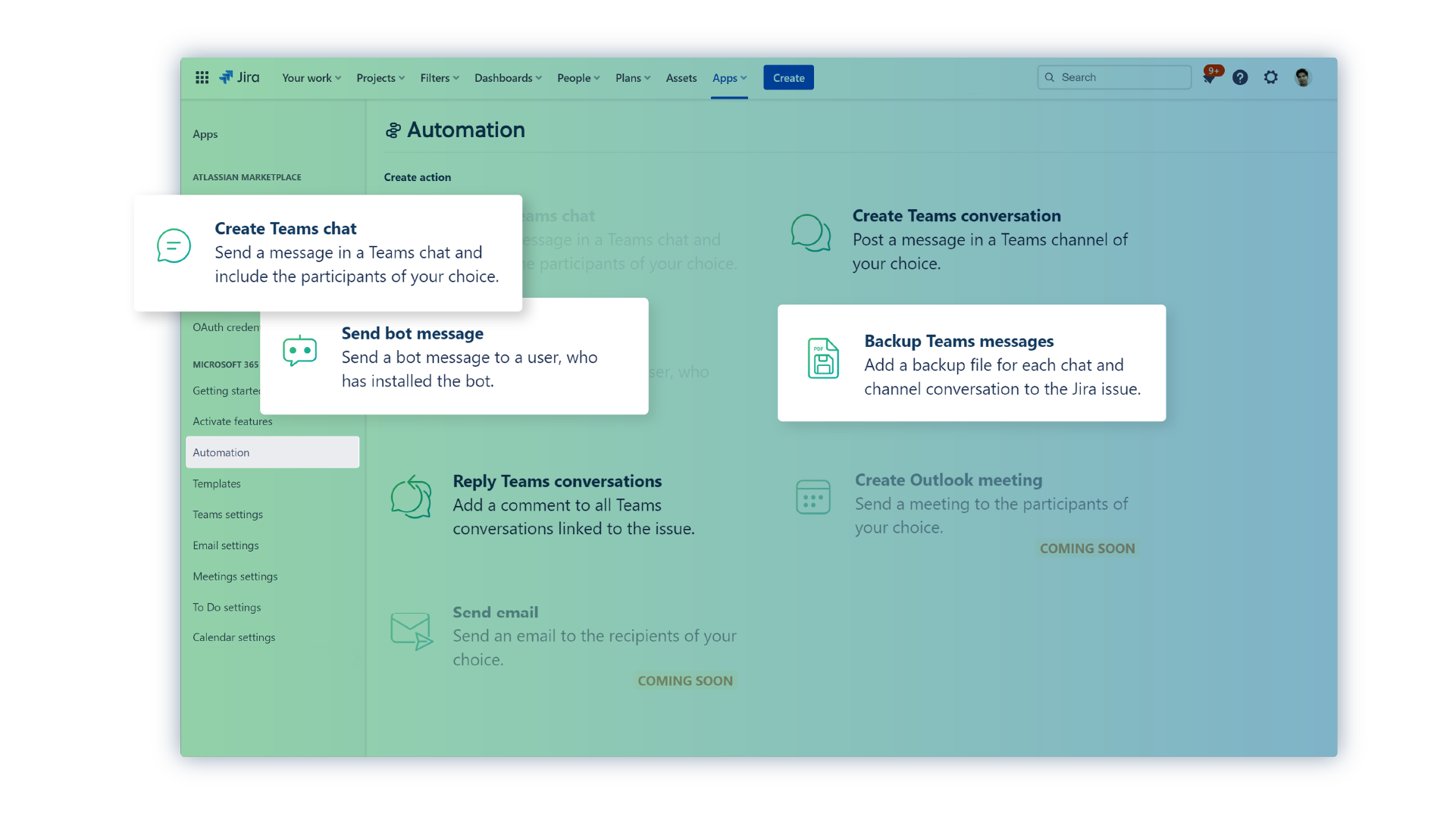
Connect Jira Automation with Microsoft through Microsoft 365 for Jira, an app available on the Atlassian Marketplace. For example, automation rules can send Teams messages, Outlook emails, or meeting invitations when defined Jira events occur. In addition, templates and Jira attributes can populate the content automatically. As a result, teams reduce repetitive communication while keeping notifications consistent and connected to Jira.

Trigger in Microsoft 365

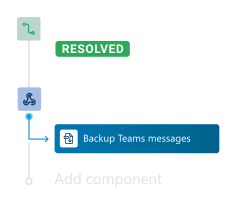
Triggers let you execute a Jira Automation, when events happen in Microsoft 365. For example, you can start an automation when a new chat is started or a new email is sent from an issue. Use the “Incoming webhook” trigger in Jira automations and insert the Jira webhook URL for creating a Microsoft 365 trigger.

Actions in Microsoft 365

Actions allow you to automate tasks in Microsoft 365, such as creating a backup of a linked Microsoft Teams chats or posting a notification to a Teams channel. They can be used like inbuilt Jira Automation actions, but are configured by using the “Send web request” action. You’ll receive the necessary URL after creating the Microsoft 365 action.
Who benefits from Jira automation?

The feature is designed for teams that repeatedly communicate Jira updates through Microsoft Teams or Outlook. Therefore, it is particularly useful when important information must reach the right people without relying on manual messages.

Want to learn more?

Jira and JSM administrators

Extend Jira Automation with Microsoft 365 actions. triggers and reusable templates. Administrators can create consistent communication workflows across projects and service processes.

IT service and incident management teams

Automatically send Teams or Outlook updates when requests and incidents change. Consequently, agents spend less time writing repetitive notifications while stakeholders remain informed.

Agile, DevOps, and delivery teams

Share sprint progress, blockers, and release updates through Microsoft Teams or Outlook. In addition, Jira data can populate each message so recipients receive relevant context.

You are currently viewing a placeholder content from YouTube. To access the actual content, click the button below. Please note that doing so will share data with third-party providers.

More Information

Microsoft 365 for Jira –  actions and triggers

Streamline repetitive tasks and workflows, improve efficiency and reduce manual effort. Enable teams to focus on higher-value activities, increases productivity with Jira automation and Microsoft 365.

What are automation options within Microsoft 365 for Jira?

The automation options cover different levels of scope, from managing an individual communication to automating complete project workflows:

Microsoft 365 actions and triggers within Jira Automation support customized rules when teams need more control over how events in Jira, Teams, and Outlook interact. Learn about Microsoft 365 automation.

Built-in automations in Presets control what happens during the lifecycle of a specific Teams conversation, Outlook email, or meeting. Learn about Microsoft 365 for Jira Presets.

Project automations provide ready-made workflows for common Jira Software processes, including release channels, epic chats, and sprint channels. Learn about Jira project automation.

This allows teams to select the automation approach that matches the scope and complexity of each workflow.

When should I use automation, and which option is best?

Use automation when a communication or project step occurs repeatedly and follows predictable rules. The best option depends on the workflow:

Start with Presets or project automations for common workflows. Choose actions and triggers when the workflow requires custom conditions or behavior.

Does the setup require coding?

No custom code is required. Advanced actions and triggers connect to Jira Automation through incoming webhooks or the “Send web request” action. See the documentation for automation actions and automation triggers.

Presets and project automations are configured through the app, no coding required.

Who can configure these automations?

First, a Jira administrator installs Microsoft 365 for Jira from the Atlassian Marketplace and enables the required Microsoft 365 features.

Jira administrators can then configure global actions and triggers. Jira project administrators can also configure supported Presets, reusable templates, and project automations for Jira Software or Jira Service Management.

How does yasoon protect data in Microsoft 365 for Jira?

Data security is a core priority for yasoon. Therefore, yasoon is ISO 27001 certified and SOC 2 compliant. In addition, data storage is minimized by retaining identifiers instead of sensitive content. Data is encrypted, and regular penetration testing helps maintain a strong level of security.

Detailed security information and reports are available in the Security Documentation and yasoon Trust Center, where customers can also request the SOC 2 report.

One app for Jira and Microsoft 365

Microsoft 365 for Jira connects Teams, Outlook Email, meetings, calendars, To Do, and automation with Jira and JSM. As a result, communication, schedules, and tasks stay connected across both platforms.

Atlassian Marketplace Review
We love the apps from yasoon! Actually, theres also a lot of passion using all these great Microsoft 365 integrations from yasoon!

by Fabian – Microsoft 365 for Jira

Atlassian Marketplace Review
As of today, I couldn’t imagine working with Jira without this app. It makes my work life so much easier!

by Chrysostomos – Microsoft 365 for Jira

Atlassian Marketplace Review
Brilliant app, game changer for our support function. Can’t wait to see what additions they make in the future.

by Marcus – Microsoft 365 for Jira

Atlassian Marketplace Review
We have been using this integration for over a year now, and will continue doing so, as every single module makes sense in itself, offers a lot to both Service Management as well as Software users and integrates our 365 world with Jira seamlessly.

by Till – Microsoft 365 for Jira