
Microsoft 365 for Jira

See Outlook calendars in Jira

Get an overview of all relevant dates by adding a configurable Outlook calendar to display Outlook and Jira events in Jira spaces. Bring deadlines, appointments, and planned work together

Try it for free!

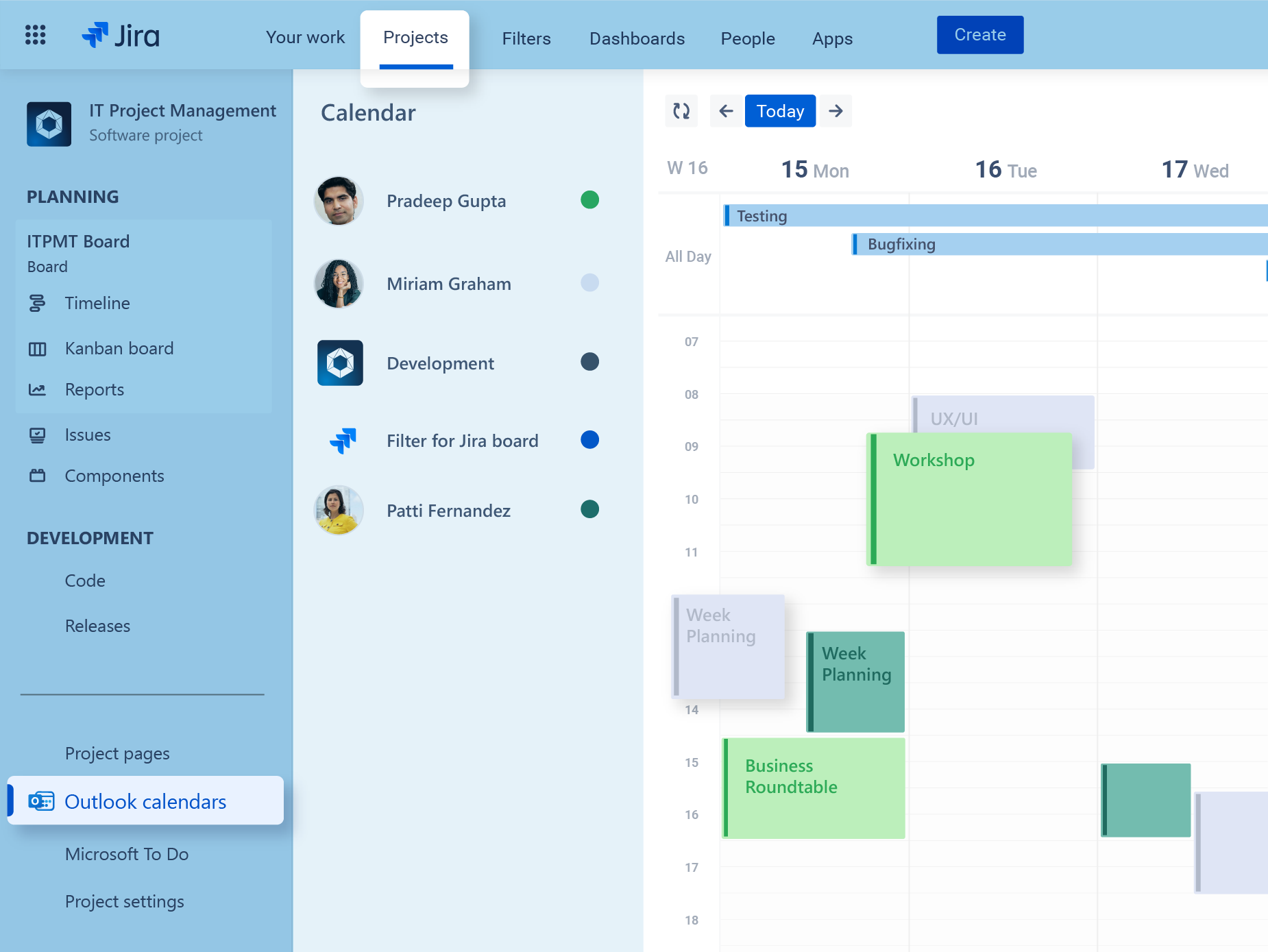
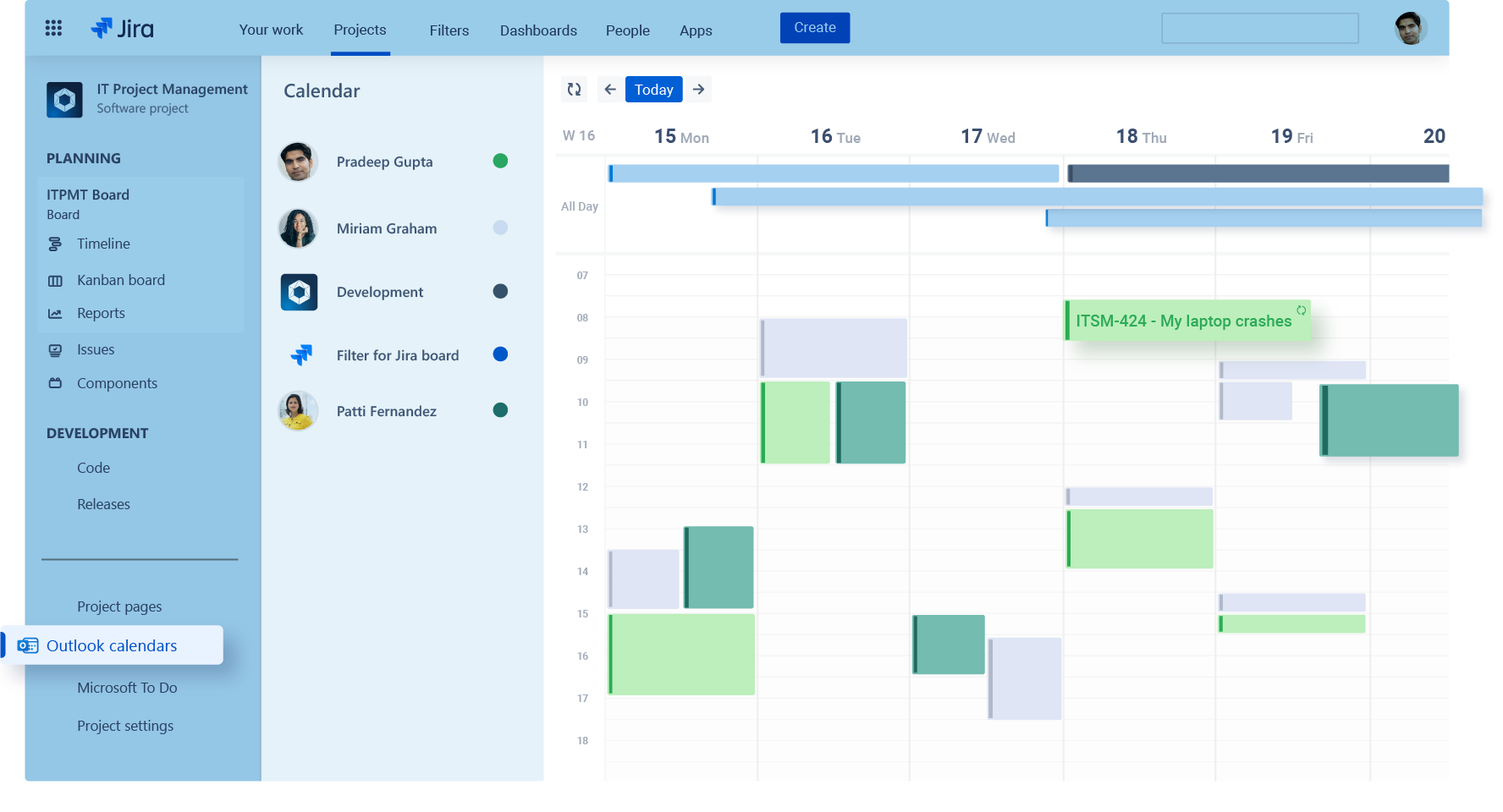
Jira calendar view displaying Outlook calendars alongside Jira data in a single schedule. Users can overlay personal and shared Outlook calendars with Jira issues, boards, and project timelines to coordinate work, meetings, and availability from one centralized view.

What is the Jira Outlook calendar integration?

The Jira Outlook calendar integration is part of Microsoft 365 for Jira, an app available on the Atlassian Marketplace. It displays relevant Outlook events and Jira work items in one calendar view inside Jira. For example, users can select Jira date fields and work item sources or configure calendars to their needs. As a result, teams can coordinate schedules and deadlines without constantly switching between Jira and Outlook.

Features in Jira

Who benefits from Outlook calendars in Jira?

Outlook calendars in Jira help teams compare their Microsoft 365 schedules with relevant Jira dates. As a result, upcoming meetings, deadlines, and planned work are easier to coordinate.

Want to learn more?

IT service management teams

Review service-related dates together with meetings and follow-up appointments. Consequently, agents can organize planned work without moving repeatedly between Jira and Outlook.

Agile and DevOps teams

Bring sprint dates, release milestones, and relevant Outlook events into one view. In addition, team members can coordinate sprint planning, reviews, and delivery schedules with greater context.

Project and delivery teams

View Jira deadlines alongside Outlook meetings in one calendar. Therefore, teams can identify scheduling conflicts and plan upcoming work more effectively.

Outlook calendars

You are currently viewing a placeholder content from YouTube. To access the actual content, click the button below. Please note that doing so will share data with third-party providers.

More Information

Your Outlook calendar in Jira

Learn how to integrate Outlook calendars in your Jira projects in this short video. Microsoft 365 for Jira helps you get an overview of all relevant events in your projects. Explore all features in depth and find out if Microsoft 365 for Jira is the right fit for you.

Can I view Outlook events and Jira dates in one calendar?

Yes. The Jira Outlook calendar integration displays Outlook events and relevant Jira work item dates in one calendar inside Jira. For example, teams can compare meetings with deadlines, sprint dates, releases, and other planned work. As a result, users can coordinate schedules without repeatedly switching between Jira and Outlook.

Learn about working with Outlook calendars in Jira

What is the difference between Outlook calendars in Jira and Outlook meetings for Jira?

The calendar integration provides a consolidated view of Outlook events and Jira dates for planning and scheduling. Outlook meetings for Jira focuses on creating an individual Outlook or Microsoft Teams meeting from a Jira work item, including attendees, availability, permissions, and meeting content. Therefore, teams can use the calendar for broader schedule visibility and the meetings feature for work item-specific appointments.

Which Outlook calendars can I add to Jira?

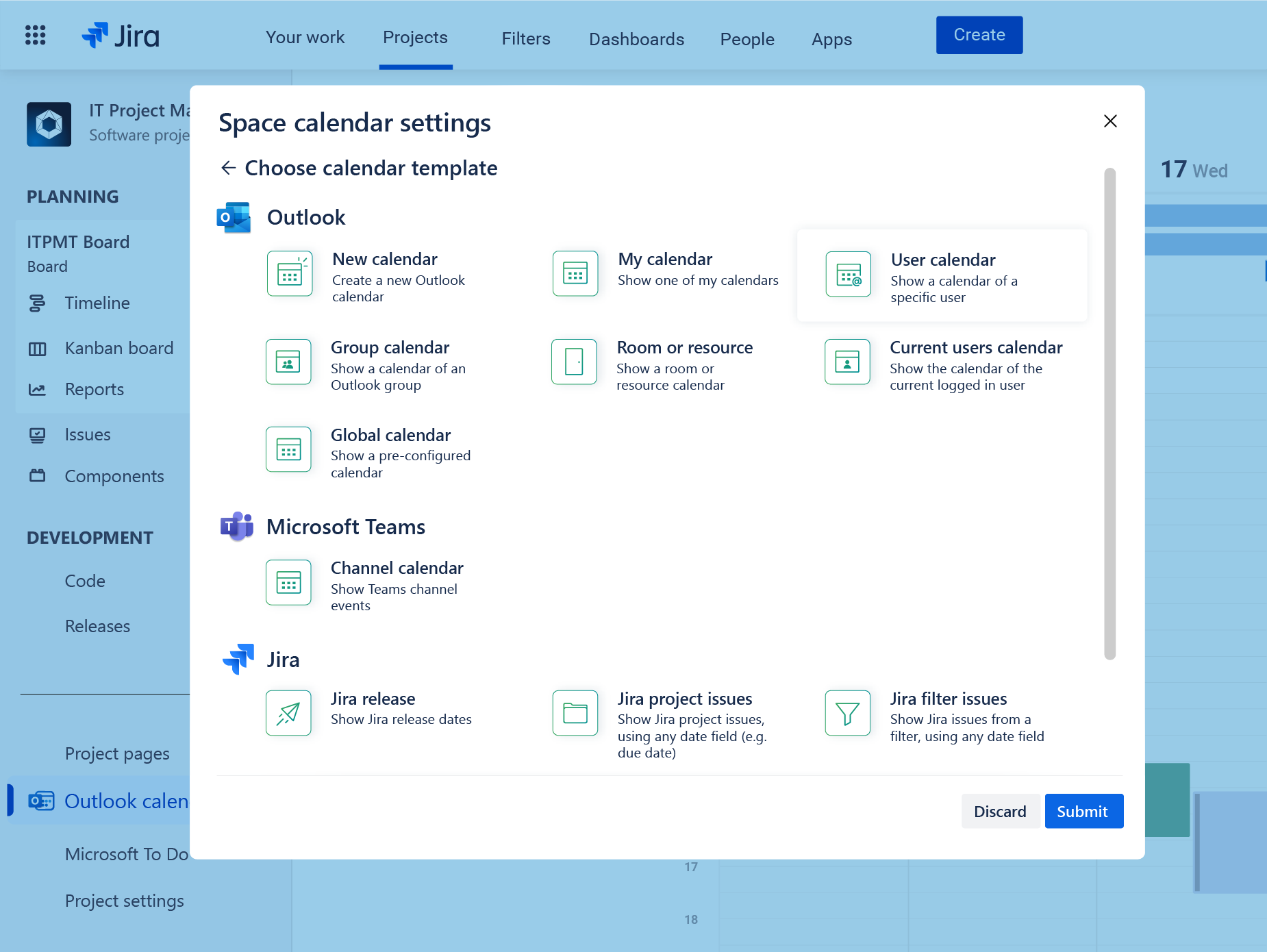
The integration supports personal calendars, user calendars, Outlook group calendars, room calendars, and Microsoft Teams channel calendars. In addition, administrators can combine these sources with Jira work item or release calendars.

A project calendar is configured by a Jira project (space) administrator and provides a shared view of relevant Jira and Outlook dates for the project team. Administrators can control calendar sources, access, and event details. In contrast, a personal calendar is configured by the individual user and is not shared with the wider team.

Can I control which Jira work items and dates appear?

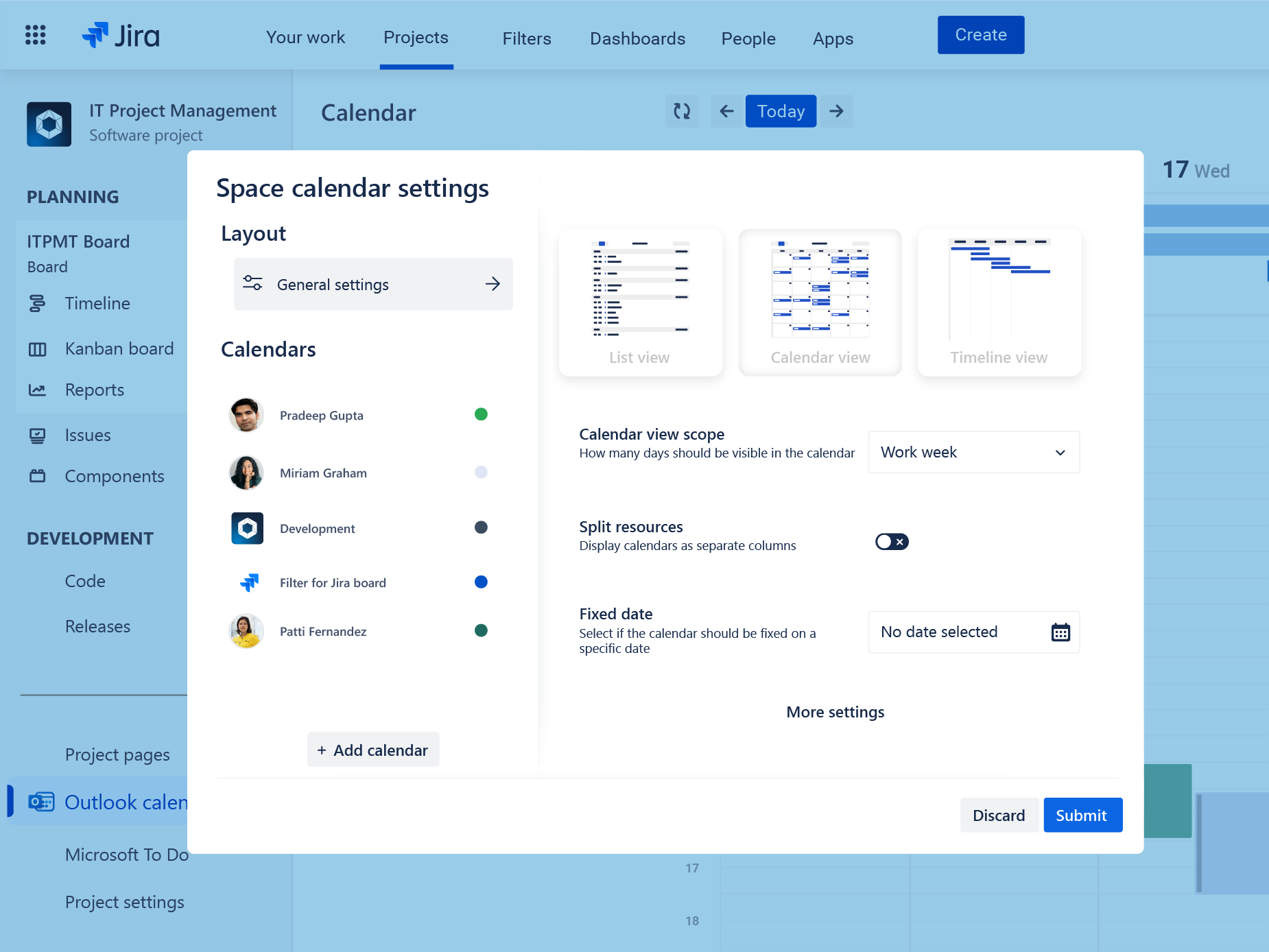
Yes. Administrators can select calendar templates, Jira sources, date fields, filters, and display options. For example, calendars can focus on due dates, releases, sprint information, or work items from specific projects. Users can also choose between calendar, list, and timeline views to match their planning needs.

Can I schedule Outlook meetings from the Jira calendar?

Yes. Users can create an Outlook meeting directly from the calendar in Jira. Once scheduled, a separate Outlook invitation is sent to the participants, and the meeting appears in their Outlook and Microsoft Teams calendars. Therefore, teams can review project dates and schedule related meetings from the same Jira view.

Learn about scheduling Outlook meetings from Jir calendars

How do administrators set up the Jira Outlook calendar integration?

First, install Microsoft 365 for Jira from the Atlassian Marketplace. Next, a Jira administrator configures the project calendar and decides which calendar sources and sharing options are available. Users then sign in with Microsoft 365, while a Microsoft administrator may need to approve calendar permissions.

How does yasoon protect data in Microsoft 365 for Jira?

Data security is a core priority for yasoon. Therefore, yasoon is ISO 27001 certified and SOC 2 compliant. In addition, data storage is minimized by retaining identifiers instead of sensitive content. Data is encrypted, and regular penetration testing helps maintain a strong level of security.

Detailed security information and reports are available in the Security Documentation and yasoon Trust Center, where customers can also request the SOC 2 report.

One app for Jira and Microsoft 365

Microsoft 365 for Jira connects Teams, Outlook Email, meetings, calendars, To Do, and automation with Jira and JSM. As a result, communication, schedules, and tasks stay connected across both platforms.

Atlassian Marketplace Review
I would highly recommend giving the app a try if you are looking to link your Jira to Office 365 within your company.

by Stephanie – Microsoft 365 for Jira

Atlassian Marketplace Review
We have been using this for many months now, the integration with Microsoft 365 and Jira is very well thought out and has helped increase our productivity throughout our company.

by Tim – Microsoft 365 for Jira

Atlassian Marketplace Review
We are using the plugin in a Cloud instance and it gives a lot of possibilities to integrate Jira and Microsoft 365 apps. The support of the plugin is professional and you can expect a new feature/fix to be delivered quickly.

by Damian – Microsoft 365 for Jira

Atlassian Marketplace Review
The integration between Microsoft 365 and Jira has streamlined our workflow significantly.

by Michael – Microsoft 365 for Jira