
Microsoft Teams
20. August 2026
Compare Jira Cloud for Microsoft Teams with Microsoft 365 for Jira

Atlassian provides several native connections (especially Jira Cloud for Microsoft Teams) between Microsoft Teams, Jira, and Jira Service Management. They cover notifications, Jira work item actions, service request intake, and selected incident response workflows.
Microsoft 365 for Jira serves a broader requirement. It is designed for organizations that use Teams as an ongoing collaboration layer while keeping Jira or Jira Service Management as the structured system of record.
Both approaches connect Atlassian and Microsoft Teams. The right choice depends on whether users need selected Jira actions in Teams or a configurable collaboration process that keeps Teams communication connected to Jira throughout the work item lifecycle.
Which native Atlassian Teams capabilities are included?
This comparison considers three native Atlassian capabilities (as of August 2026)
Jira Cloud for Microsoft Teams
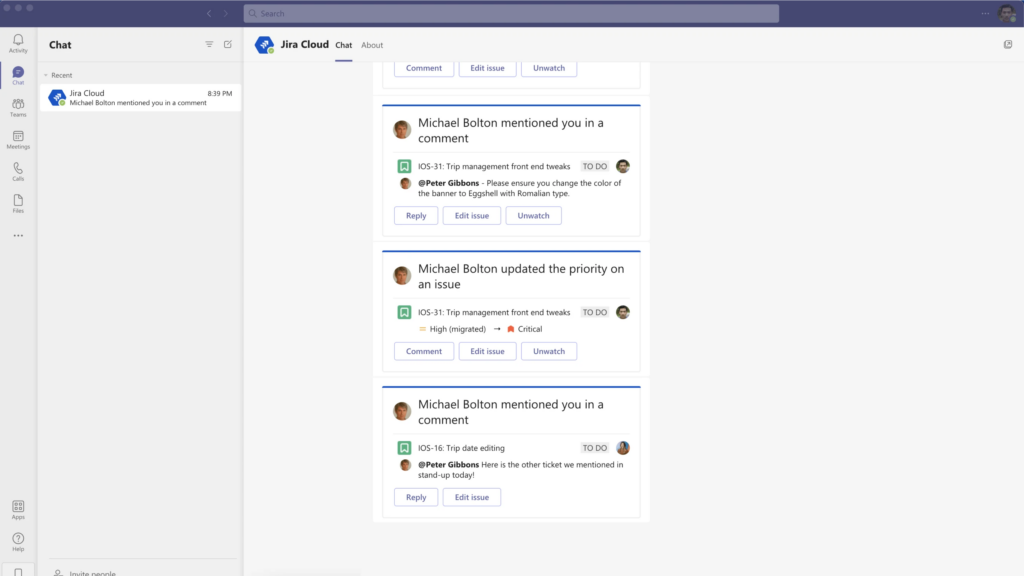
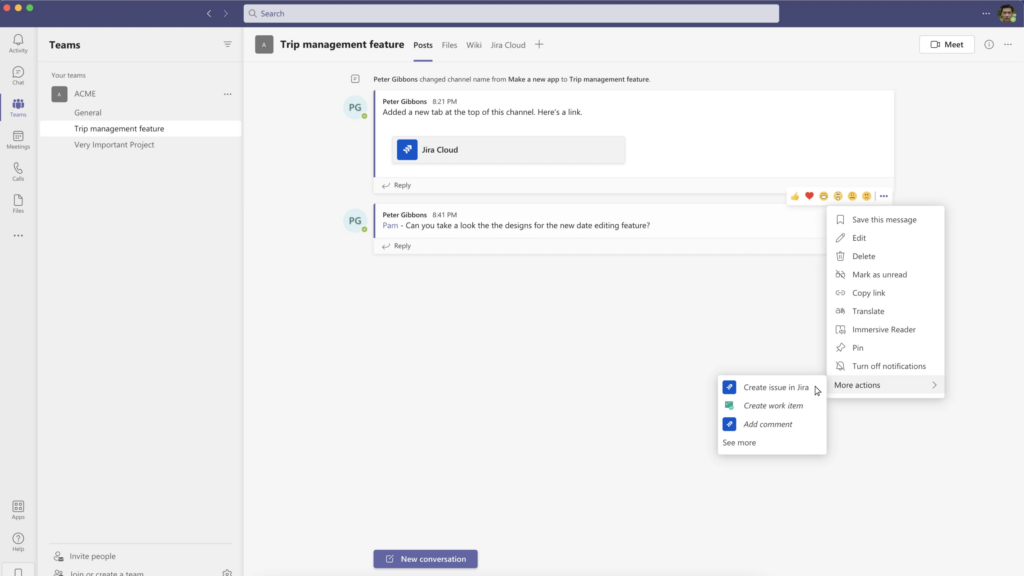
The Jira Cloud for Microsoft Teams app allows users to create, search, and update Jira work items from Teams. It also supports customizable notifications, link previews, quick commands, and actions such as assigning, commenting on, or watching work items.
These features suit teams that want to access Jira functionality without leaving Microsoft Teams. View the Jira Cloud integration documentation.
Jira Service Management Chat and Atlassian Assist
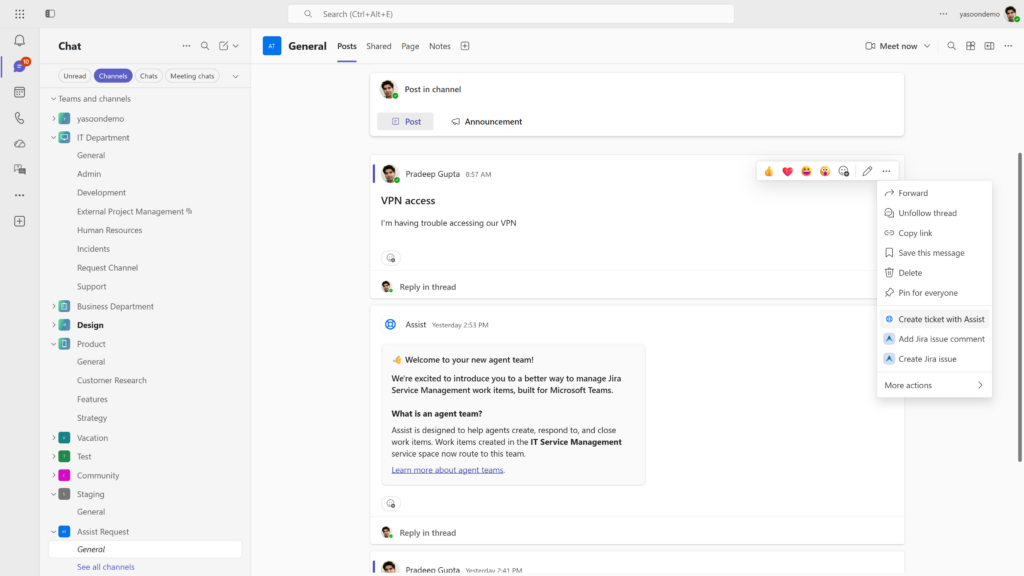
JSM Chat connects Jira Service Management with Microsoft Teams through Atlassian Assist. Employees and agents can create service requests from Teams messages or through the Assist app.
Comments synchronize between Microsoft Teams and Jira Service Management. This allows participants to continue working on the request from either tool. Learn how Assist creates JSM work items.
Jira Service Management incident collaboration and ChatOps
Jira Service Management can create Teams chats and meetings for incidents, invite responders, share incident details, and send stakeholder updates.
ChatOps also supports selected alert and on-call actions from Teams. Some advanced incident management and global ChatOps capabilities require Premium or Enterprise plans. Availability depends on the JSM plan and configuration. Review the JSM Teams connection.
Atlassian also offers Rovo for Microsoft Teams. Rovo focuses on AI-assisted search, answers, and actions, so it is not the main subject of this collaboration comparison.
What is the main difference to Microsoft 365 for Jira?
The difference is not simply whether an integration can create a Jira work item from Teams. Both native Atlassian capabilities and Microsoft 365 for Jira support useful Teams-to-Jira interactions. The main difference is the scope of the collaboration workflow.
Native Atlassian capabilities bring selected Jira and JSM functions into Teams. Microsoft 365 for Jira connects Teams conversations and other Microsoft 365 communication with Jira work items and JSM requests throughout their lifecycle.
This distinction matters when conversations contain decisions, troubleshooting details, customer communication, or project context that should remain accessible from the structured Jira record.
Choose native Atlassian Teams capabilities when
The native Jira Teams integration is likely sufficient when:
- You need Jira notifications, link previews, search, and work item actions in Teams.
- Users should create or update Jira work items without leaving Teams.
- Your JSM use case focuses on creating requests and synchronizing comments.
- Your incident workflow fits Atlassian’s supported chats, meetings, alerts, and on-call actions.
- Teams does not need to become the main collaboration layer around every Jira work item.
- You do not require reusable communication configurations across spaces, epics, requests, and Microsoft 365 applications.
For these requirements, the native apps provide focused access to Jira and JSM from Microsoft Teams.
Choose Microsoft 365 for Jira when
Microsoft 365 for Jira makes sense when Teams is where project or service communication continues after a work item has been created.
Teams conversations should remain connected to Jira
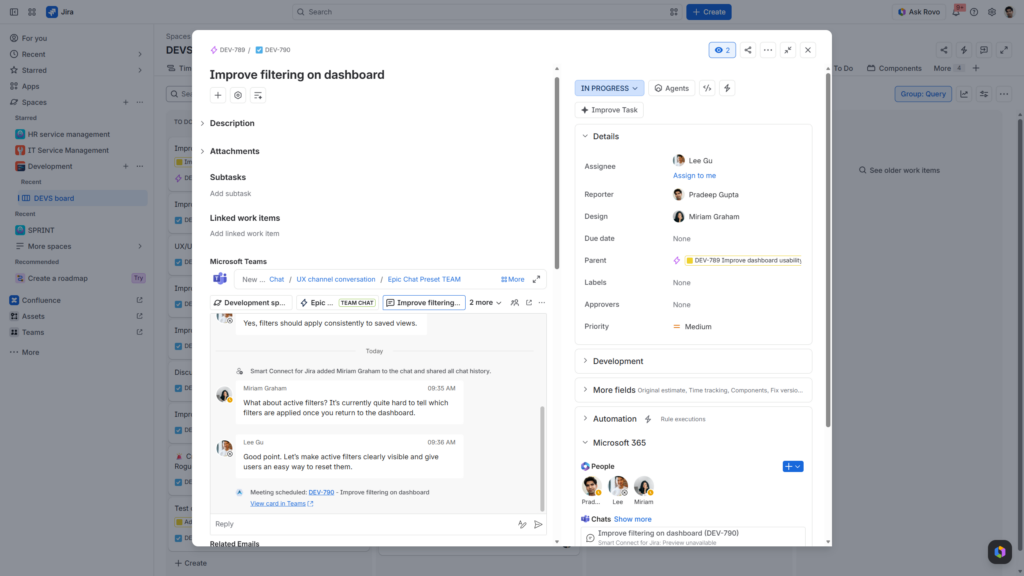
Linked Teams chats and channel conversations remain accessible from the related Jira work item or JSM request. Authorized users can review and reply to the conversation from Jira, while other participants continue working in Teams. This keeps communication available during handovers, follow-ups, and reviews.
JSM requests need ongoing customer communication
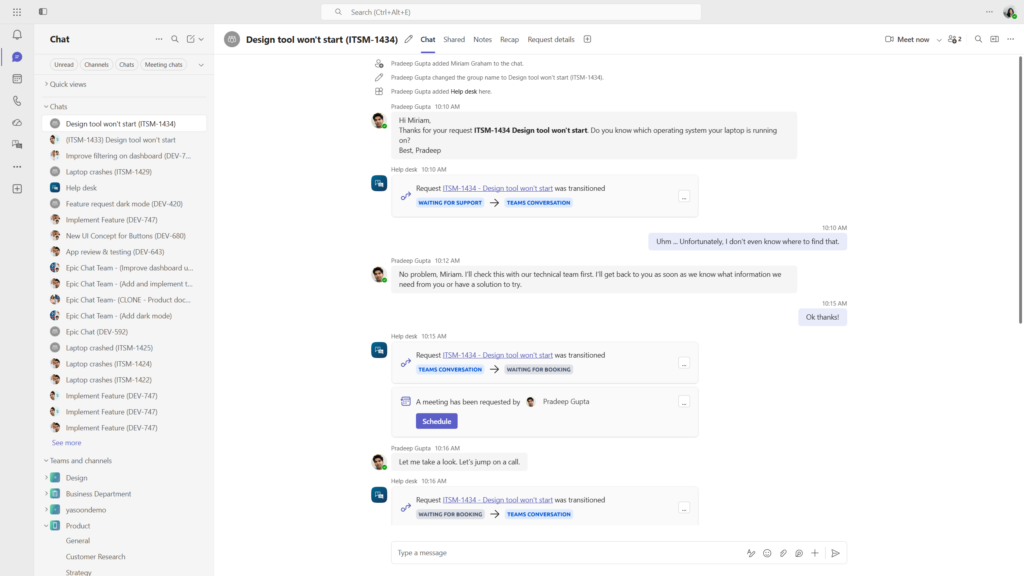
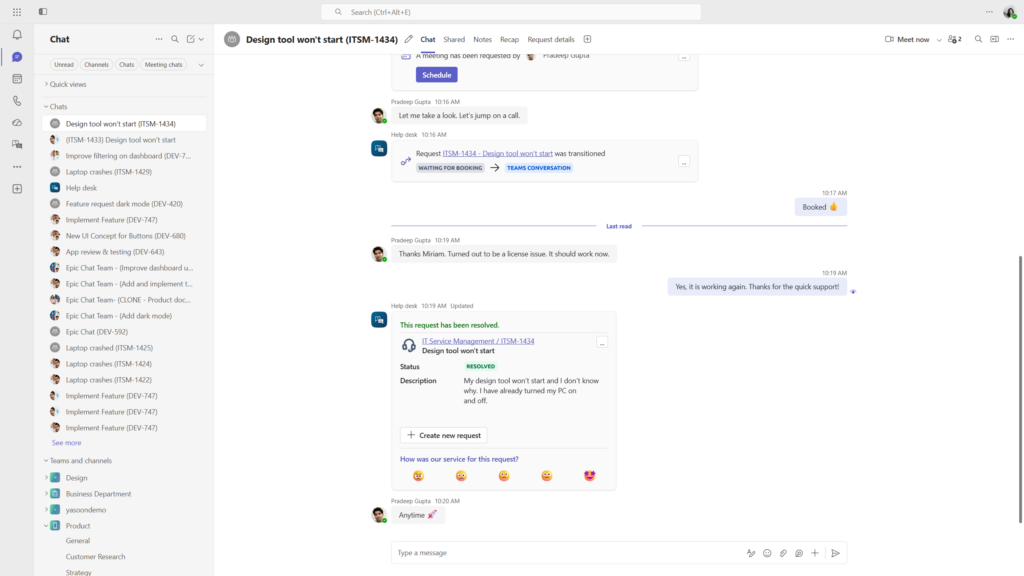
The Jira Service Management portal can be made available in Teams for structured request intake. Agents can then use connected Teams conversations to communicate with reporters and other participants.
The request remains managed in JSM, while customer communication and selected updates happen in Teams. Explore the Teams portal app.
Teams need repeatable collaboration setups
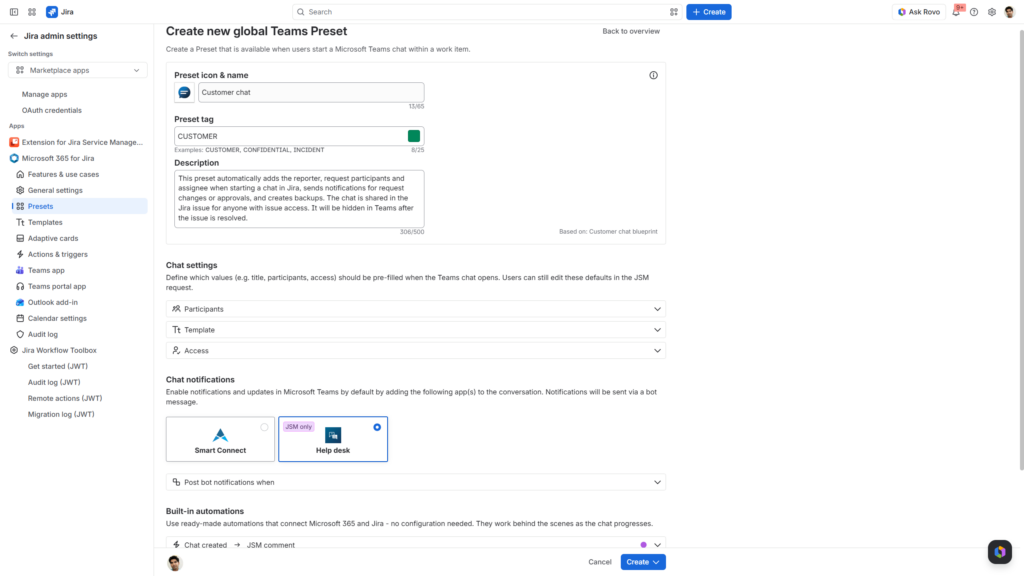
Administrators can use Presets to configure participants, templates, access settings, notifications, Adaptive Cards, and built-in automations.
Different Presets can support customer chats, internal discussions, triage conversations, or other project-specific workflows. Presets are currently available for Jira Cloud. Learn about Microsoft 365 Presets.
Collaboration should follow project events
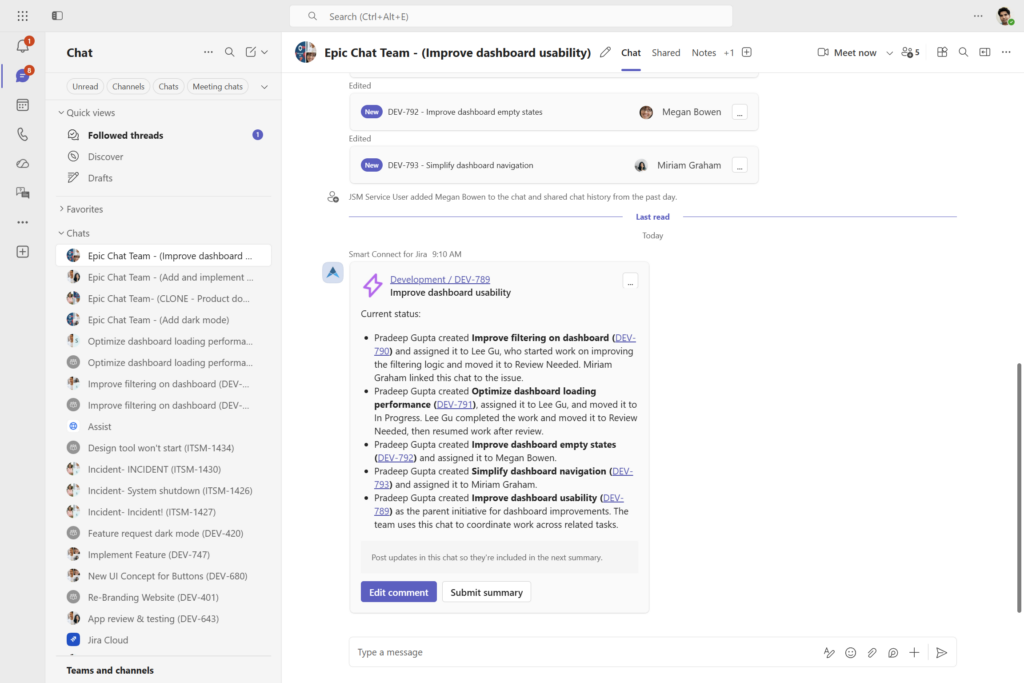
Project automations can create recurring collaboration workflows for Jira and JSM. Examples include starting epic chats, posting sprint or release updates to Teams channels, and creating incident or customer chats.
This is useful when teams want consistent collaboration patterns across projects and service processes.
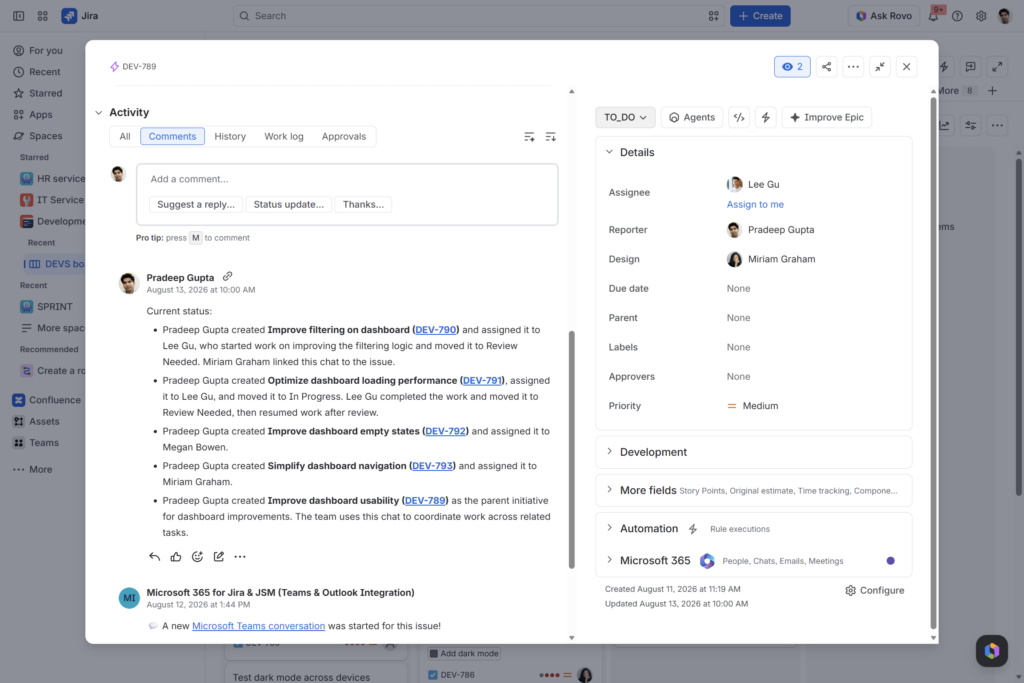
See the difference in practice
Choose native Atlassian capabilities when you need focused Jira or JSM functionality in Teams.
Consider Microsoft 365 for Jira when Teams conversations should remain part of the work item lifecycle, administrators need repeatable collaboration configurations, or the workflow extends into Outlook and other Microsoft 365 tools.
To see both approaches side by side, watch the comparison demo by Alex Ortiz from Apetech.